
Install Labelme as App
Download the Labelme app to start a 3-day trial, or use your purchased license:
Labelme.exefor Windows,Labelme.appfor macOS,Labelmeexecutable for Linux.
Download the app
NOTE: We supports OS versions that are not EOL (End of Life). See for Windows, macOS, and Linux.
Download the app for your operating system. (sign-in required 🔒)
v7.7.0 (changelog)
- Download for Windows (installer)
- Download for Windows (portable exe) (BETA)
- Download for macOS on Apple Silicon
- Download for Linux
For previous versions, check "All released versions".
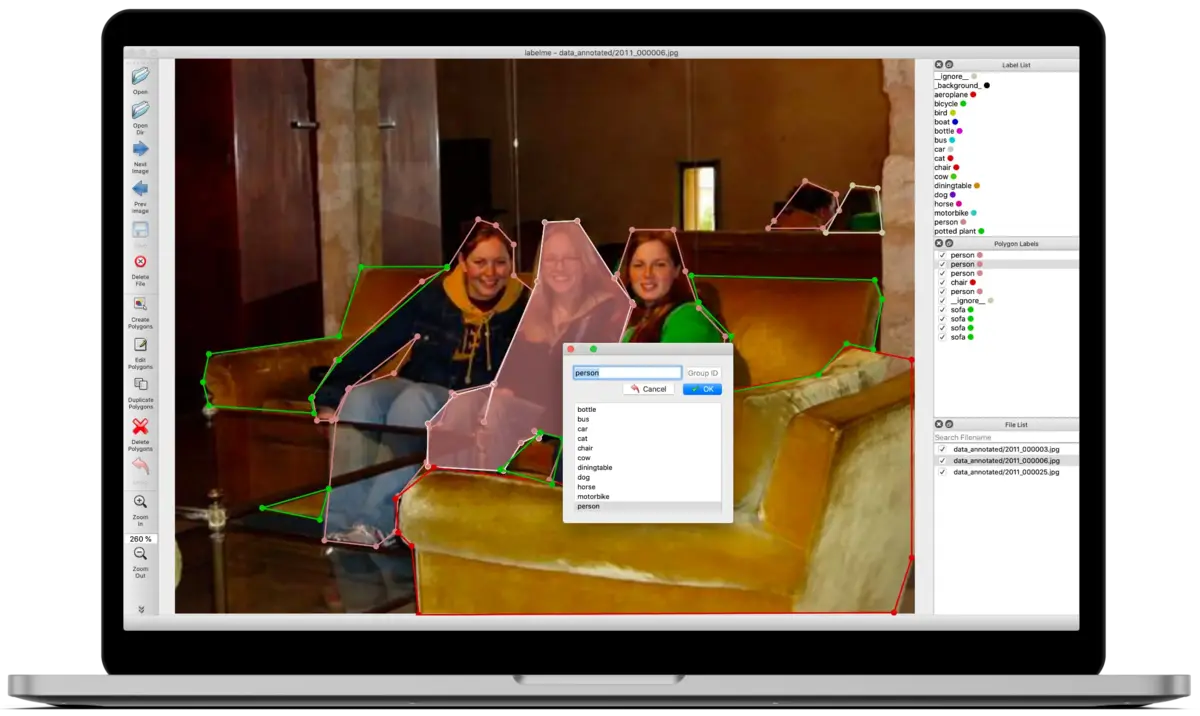
For the detailed steps, follow the below instructions.
- Installation steps for Windows (installer)
- Installation steps for Windows (portable exe)
- Installation steps for macOS
If you encounter any issues with Labelme, please follow Troubleshoot.
Install SAM3 without internet access
Labelme downloads model weights on first use. For an air-gapped machine, download the SAM3 offline pack and its SHA-256 checksum on a connected machine, then transfer both files.
On Windows, open PowerShell in the folder containing the pack and run:
Get-FileHash .\labelme-sam3-osam-0.6.0.zip -Algorithm SHA256
Expand-Archive .\labelme-sam3-osam-0.6.0.zip -DestinationPath "$env:USERPROFILE\.cache\osam\models" -Force
On macOS or Linux, run:
# macOS
shasum -a 256 labelme-sam3-osam-0.6.0.zip
# Linux
sha256sum labelme-sam3-osam-0.6.0.zip
mkdir -p ~/.cache/osam/models
unzip labelme-sam3-osam-0.6.0.zip -d ~/.cache/osam/models
Compare the printed hash with the downloaded checksum before continuing. In Labelme's AI-Box model dropdown, select Sam3; the default Sam2 (balanced) uses different model files. For AI Text-to-Annotation, select SAM3 (smart). After extraction, both modes run without a network connection.
Installation steps for Windows (installer)
If Windows shows “Windows protected your PC”, see Windows security warning.
Download and run the
.msiinstaller. If an older release downloads as a ZIP, extract it first.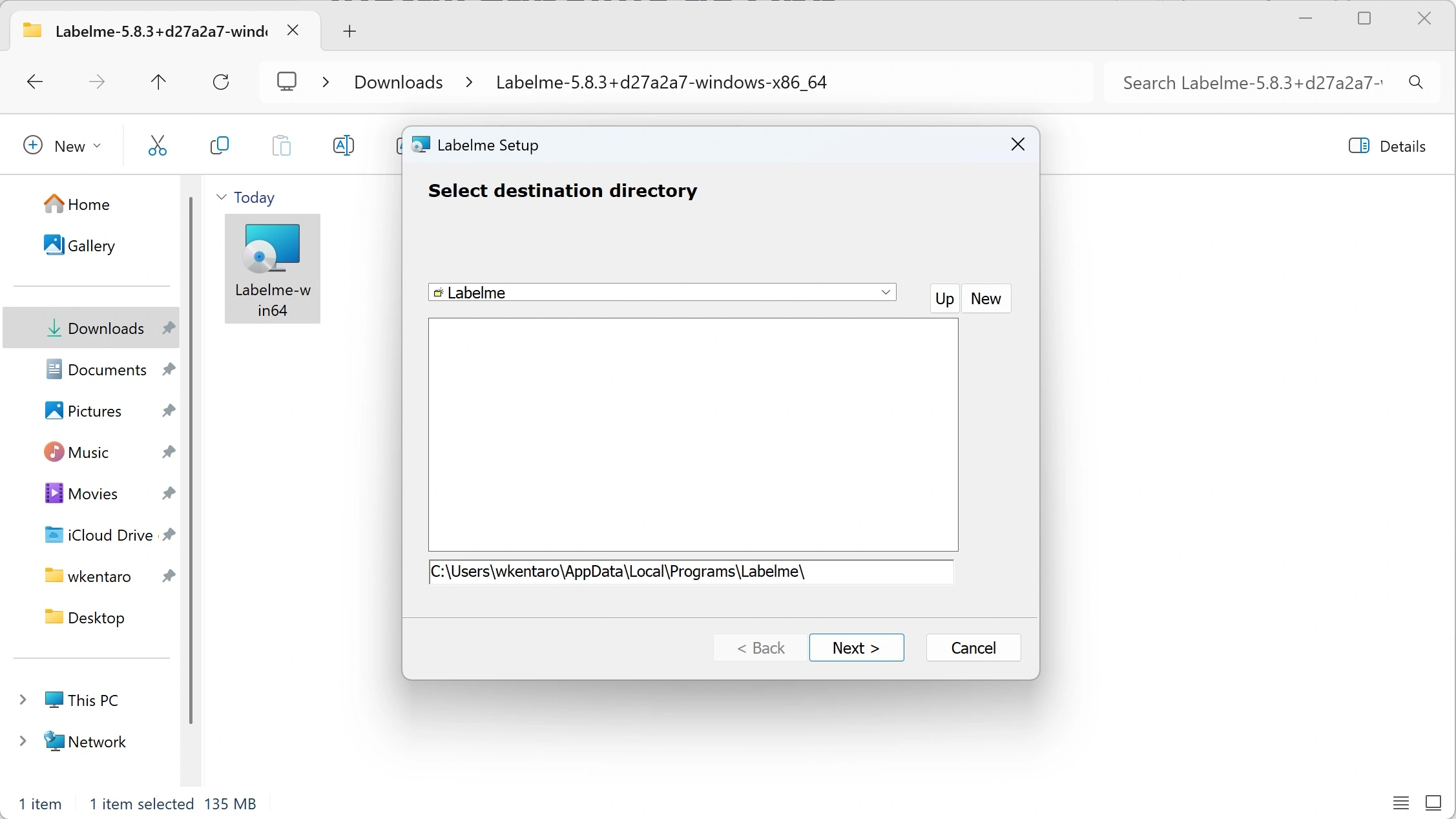
Open the
Labelme.exefrom the Start menu.(Optional) Customize the config by editing
~/.labelmerc.
Installation steps for Windows (portable exe)
If Windows shows “Windows protected your PC”, see Windows security warning.
Download the portable exe and extract the zip file: 'Extract All...'.
Open the extracted folder and run
Labelme-portable.exe.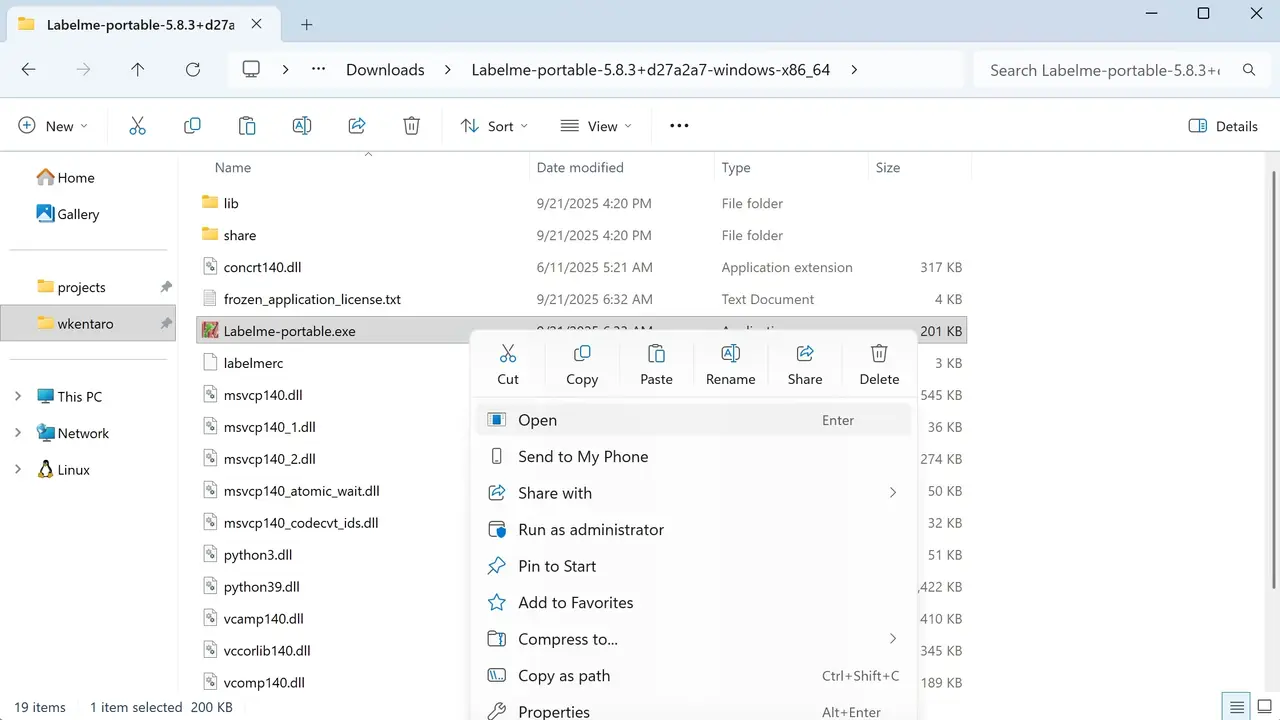
(Optional) Customize the config by editing
labelmercin the same folder.
Windows security warning
The latest Windows downloads (7.4.1) are digitally signed by Kentaro Wada. Windows may still show “Windows protected your PC” because SmartScreen may not yet recognize this release. Only continue if you downloaded Labelme from this website and the publisher includes Kentaro Wada.
Select “More info” on the warning screen.
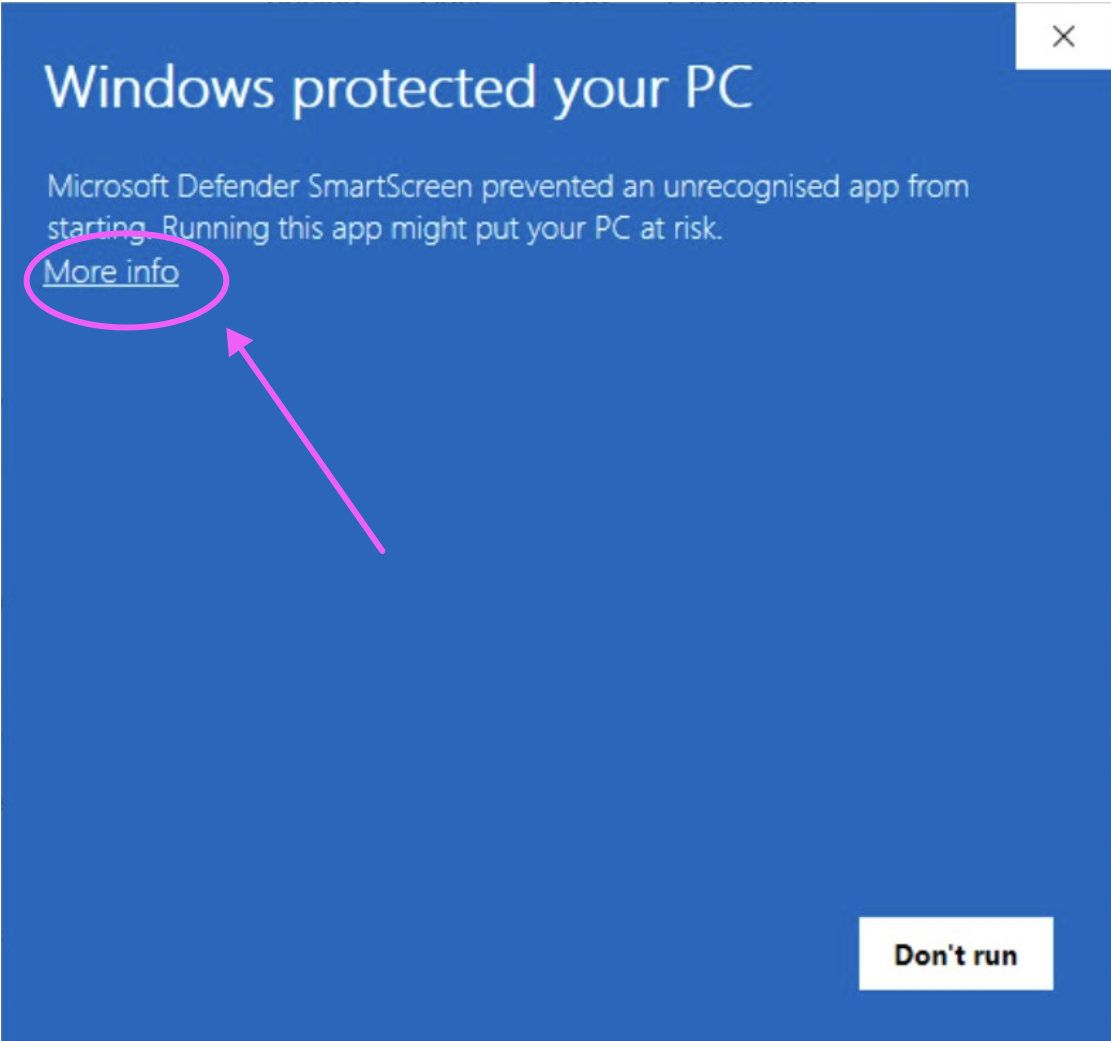
Check that the application is the Labelme file you downloaded and the publisher includes Kentaro Wada, then select “Run anyway”.
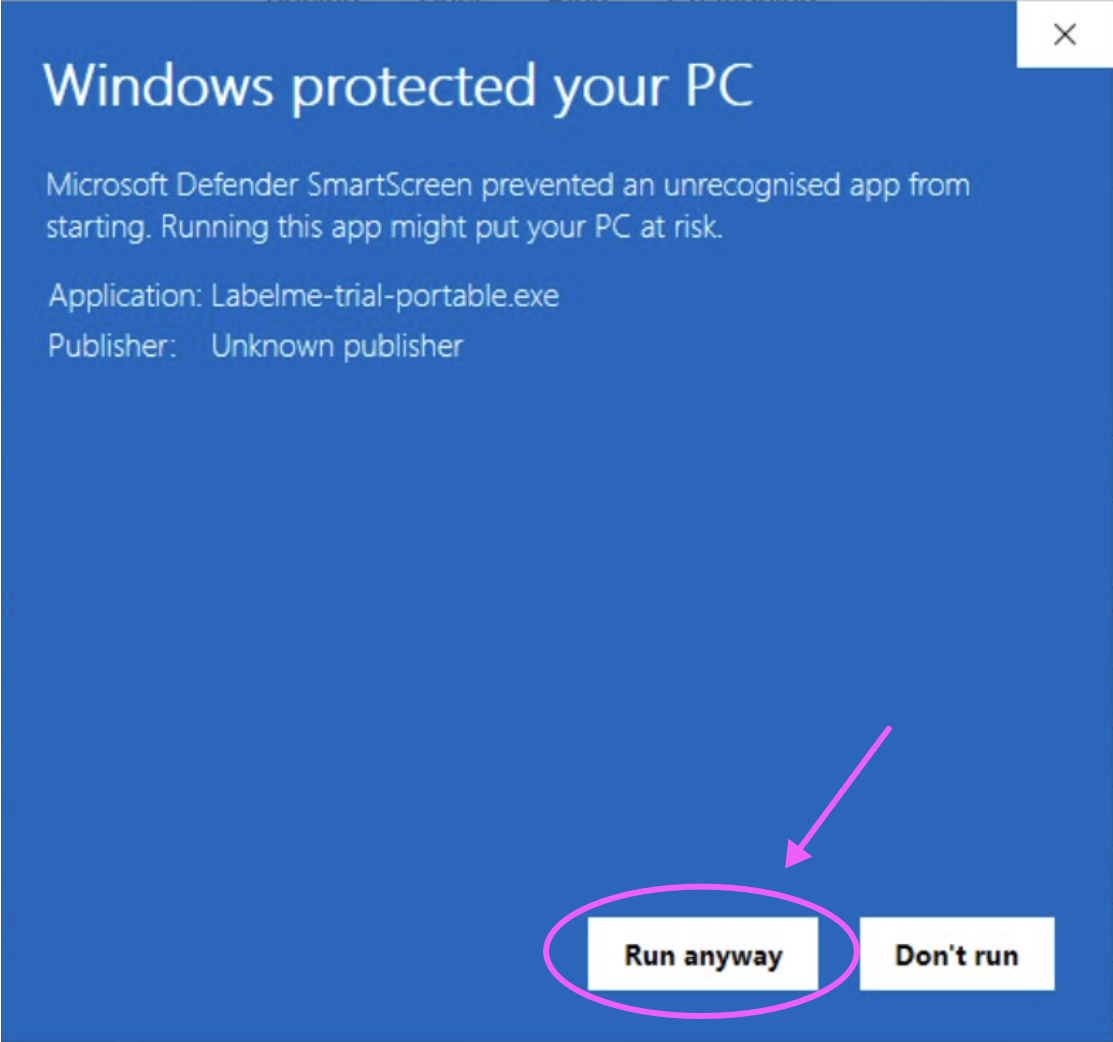
The screenshots show portable builds. The filename depends on whether you downloaded the trial or paid app and the installer or portable ZIP.
If “Run anyway” is missing on a managed computer, ask your IT administrator. Otherwise, contact support. Do not turn off Windows security to open the app. These steps apply to this SmartScreen warning, not a malware detection or a different security block.
Installation steps for macOS
Current Labelme app builds require Apple Silicon. Intel Macs can use Labelme app v7.0.4 or earlier.
Download the macOS installer.
Open the
.dmgfile and moveLabelme.appto the Applications folder. If an older release downloads as a ZIP, extract it first.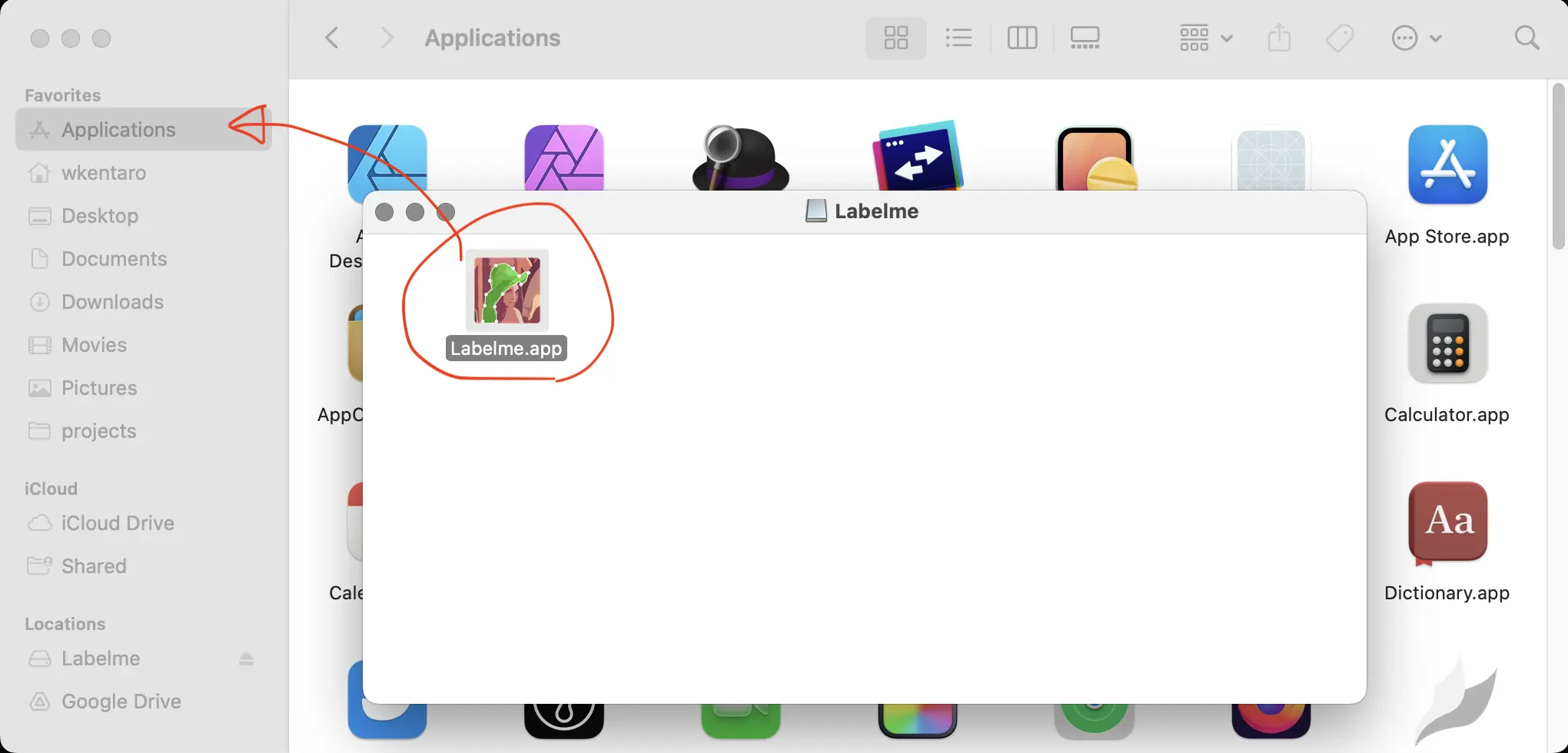
Open the
Labelme.appfrom the Applications folder.(Optional) Customize the config by editing
~/.labelmerc.
Installation steps for Linux
Download the AppImage.
Make it executable and run it. If an older release downloads as a ZIP, extract it first.
chmod +x Labelme-*.AppImage
./Labelme-*.AppImage
(Optional) Customize the config by editing
~/.labelmerc.