Switching draw modes mid-shape, without the crashv6.3.1→ see all updates
LabelMe logoLabelMe
DownloadPricingDocumentationBlogChangelog
日本語中文
Sign in
DownloadPricingDocumentationBlogChangelog
  • Installation
  • Install LabelMe as App
  • Install LabelMe using Terminal
  • Install LabelMe using Terminal (old way)
  • Install LabelMe Toolkit
  • All released versions
  • Troubleshoot
  • Toolkit Docs
  • ai-annotate-rectangles
  • ai-text-to-annotations
  • ai-rectangle-to-mask
  • export-to-voc
  • export-to-yolo
  • extract-image
  • import-from-yolo
  • json-to-mask
  • json-to-masks
  • json-to-visualization
  • list-labels
  • print-stats
  • rename-labels
  • resize-image
  • Starter Guide
  • 1. Annotate image with LabelMe
  • 2. Open and edit annotated file
  • 3. Load annotated file with Python
  • 4. Export annotated file to PNG
  • 5. Load exported files with Python
  • Dataset Guide
  • 1. Download real dataset
  • 2. Verify dataset visually
  • 3. Verify dataset statistically
  • 4. Additional data collection
  • 5. Export dataset
  • Bonus: PyTorch dataset class

print-stats

You need to be a Pro member to access the full content of this.

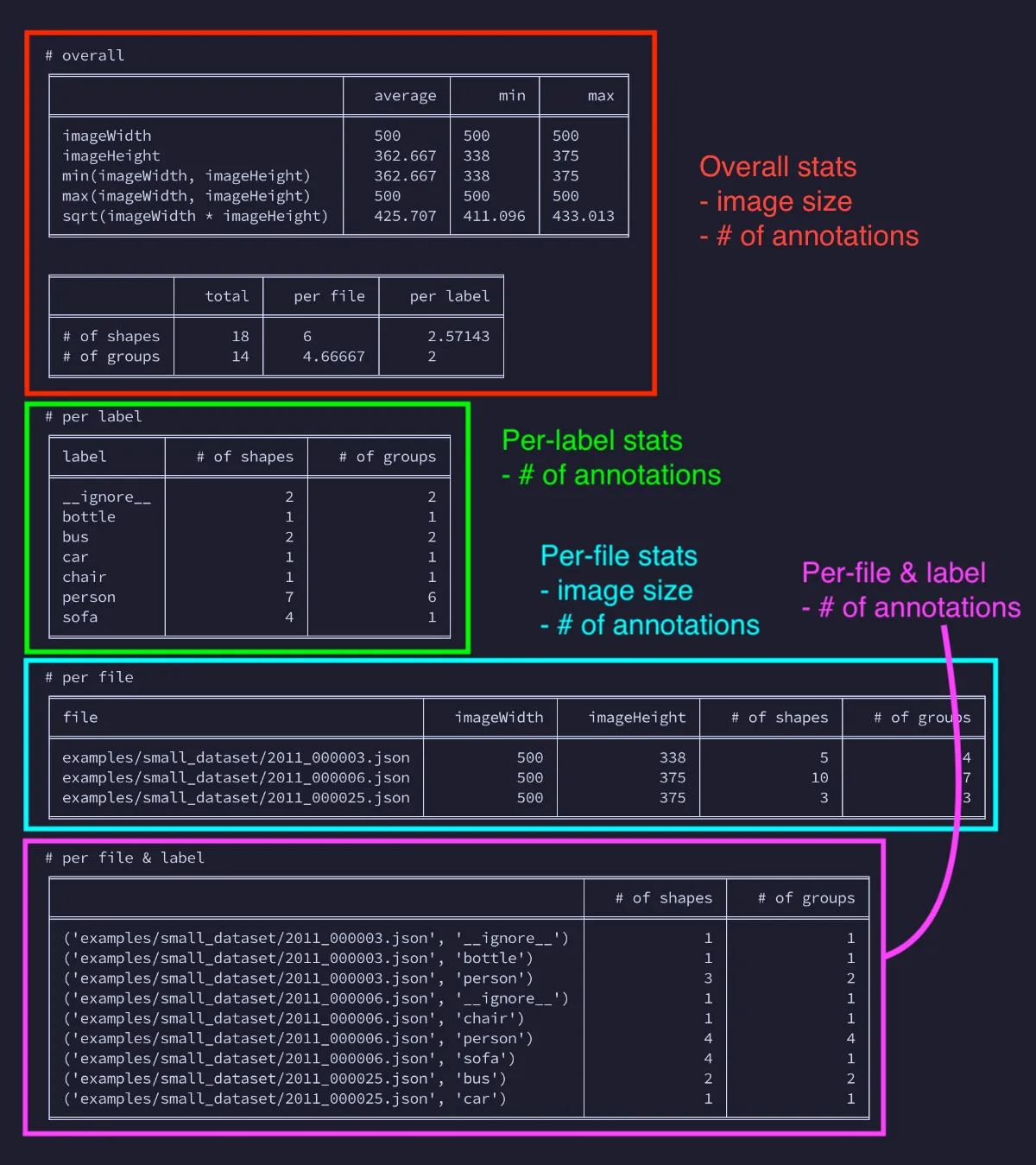
print-stats shows the stats for JSON files (e.g., number of annotations):
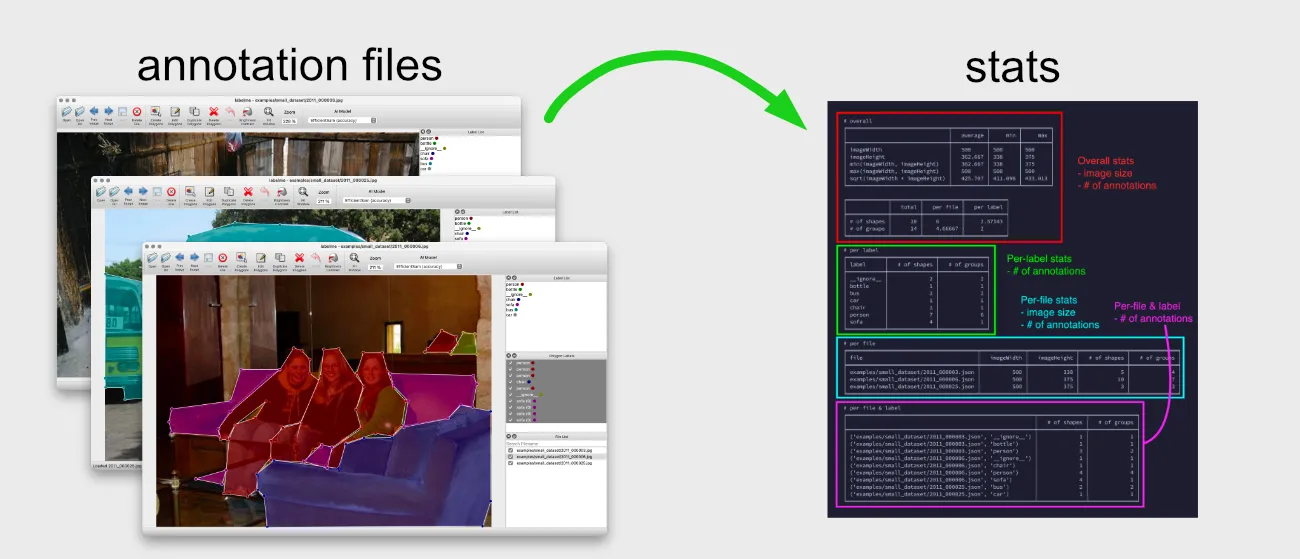
Diagram showing print-stats displaying annotation statistics from JSON files

Usage#

As the argument, you can pass either JSON files or directories of JSON files.

labelmetk print-stats [OPTIONS] FILES_OR_DIRS...

Terminal output of print-stats command on a directory

Example: Stats for a JSON file#

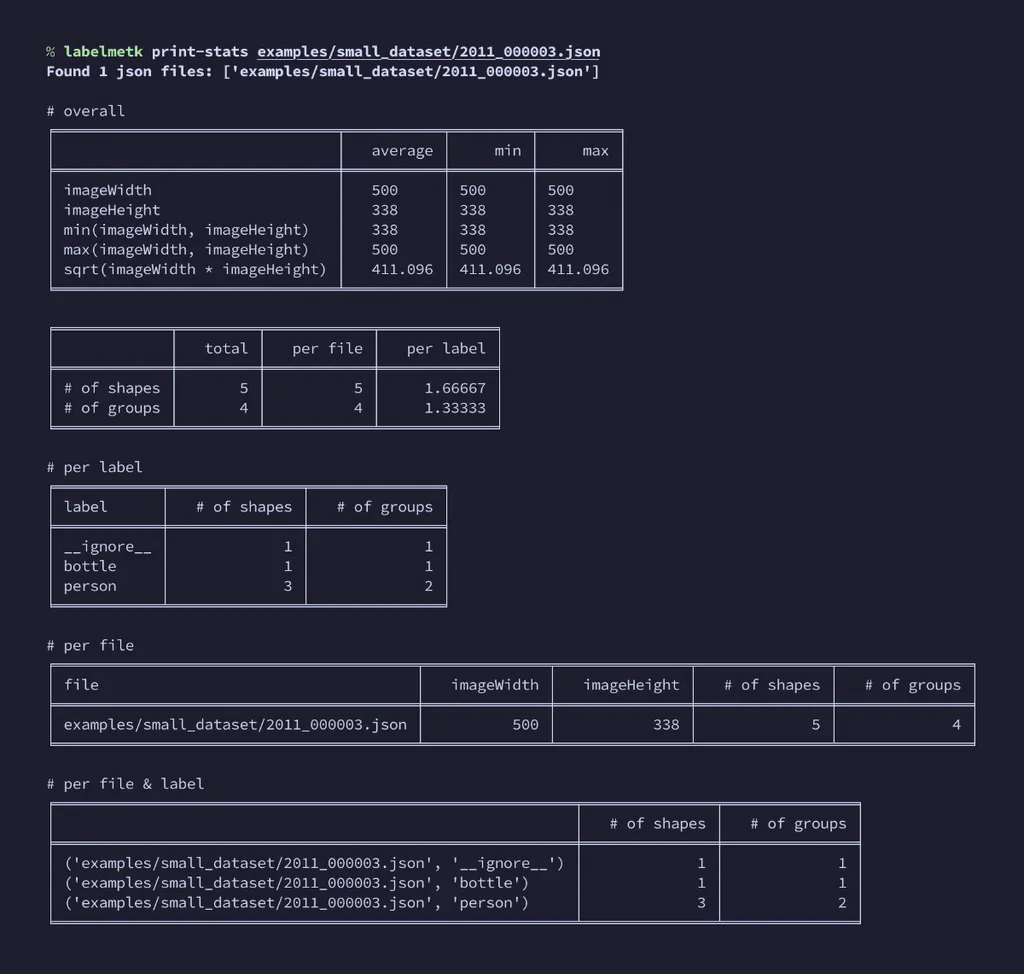
If you only have a JSON file, you can also pass the file:

labelmetk print-stats small_dataset/2011_000003.json

it gives a similar but more specific stats of the JSON file:
Download an example dataset from:

small_dataset.zip (389KB)
  • Usage#
  • Example: Stats for a JSON file#