
ai-text-to-annotations
You need to be a Pro member to access the full content of this.
ai-text-to-annotations generates polygon or mask annotations from text prompts using SAM3.
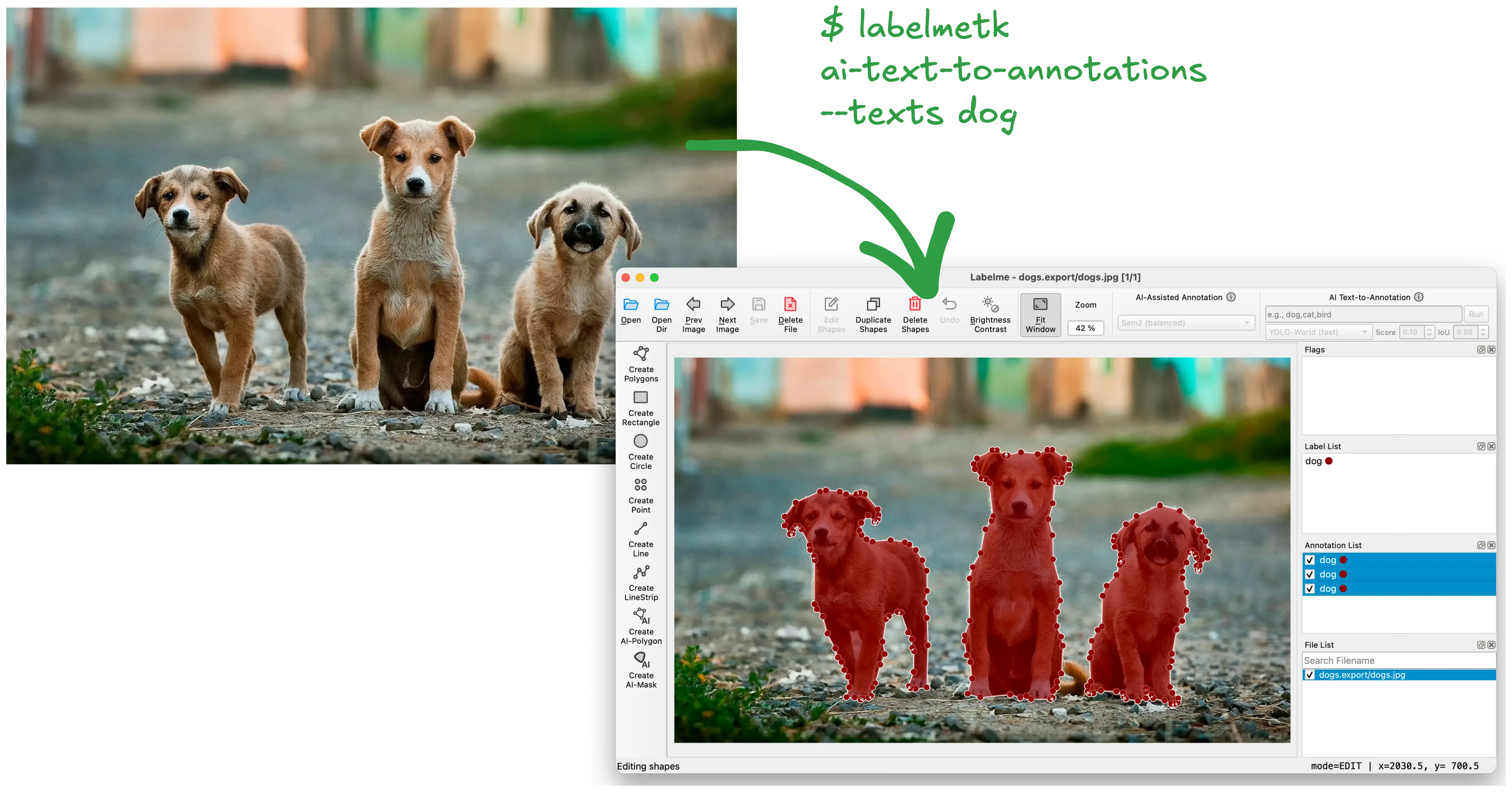
v0.2.0 (2026-04-14): New command.
Usage
Provide text prompts describing the objects you want to annotate. The tool generates polygon or mask annotations using SAM3, with image embedding caching for efficient multi-label processing.
labelmetk ai-text-to-annotations [OPTIONS] FILE_OR_DIR
--texts: Names of objects to annotate. You can specify multiple names separated by comma (e.g.,--texts "person,car,building"). Required.--model: Backend model. (Default:sam3)--shape-type: Output annotation type. One of:polygon(default)mask
--score-threshold: Threshold to remove annotations by score. The higher value means less annotations in the final result. The range is from 0 to 1. (Default:0.1)--iou-threshold: Threshold to remove overlapping annotations via cross-label NMS. The lower value means less annotations in the final result. The range is from 0 to 1. (Default:0.5)--max-annotations: Max number of annotations. (Default:100)
Example: Generate polygons for a JPEG
labelmetk ai-text-to-annotations dogs.jpg --texts dog
labelme dogs.export  # open and tweak the annotations
Example: Multiple text labels with mask output
labelmetk ai-text-to-annotations image.jpg --texts "person,car,building" --shape-type mask
Example: Annotate a directory of images
labelmetk ai-text-to-annotations images/ --texts "person,car"
labelme images.export  # open and tweak the annotations
Download an example JPEG from:
dogs.jpg (700KB)