
json-to-masks
You need to be a Pro member to access the full content of this.
json-to-masks converts a Labelme JSON file to mask files.
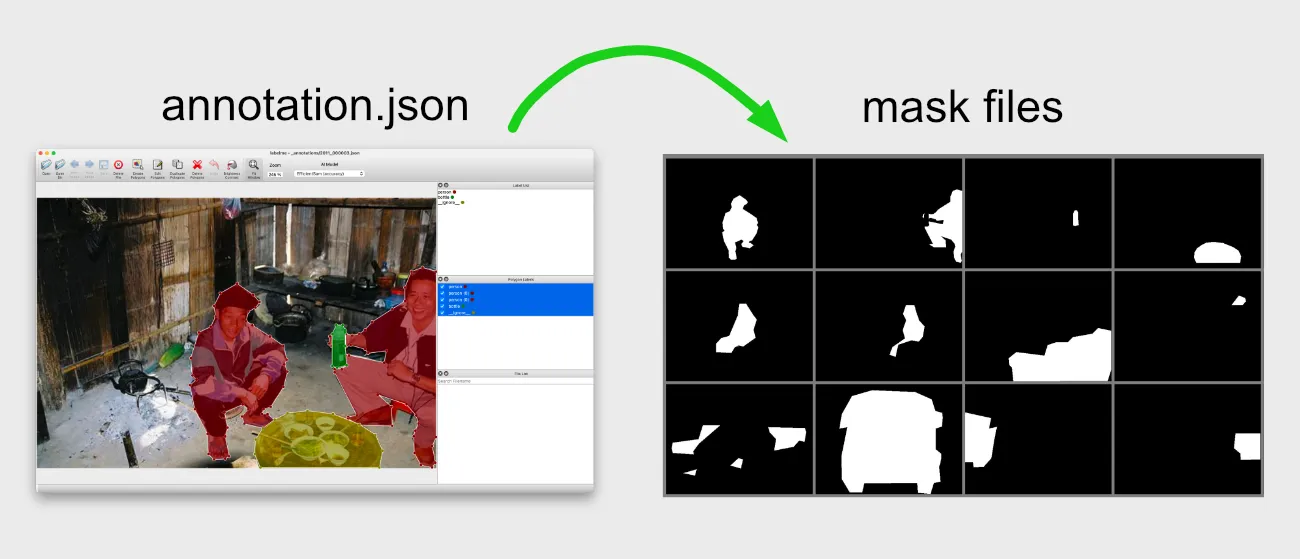
v0.1.2 (2025-03-28): Supports shape_type="mask".
Usage
As the argument, you can pass either JSON files or directories of JSON files.
labelmetk json-to-masks [OPTIONS] FILES_OR_DIRS...
Example: Convert a JSON file
If you only have a single JSON file, pass it to the command:
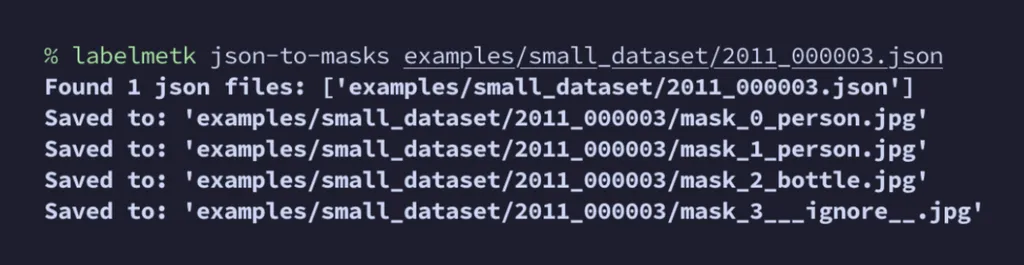
labelmetk json-to-masks small_dataset/2011_000003.json
to get mask images:
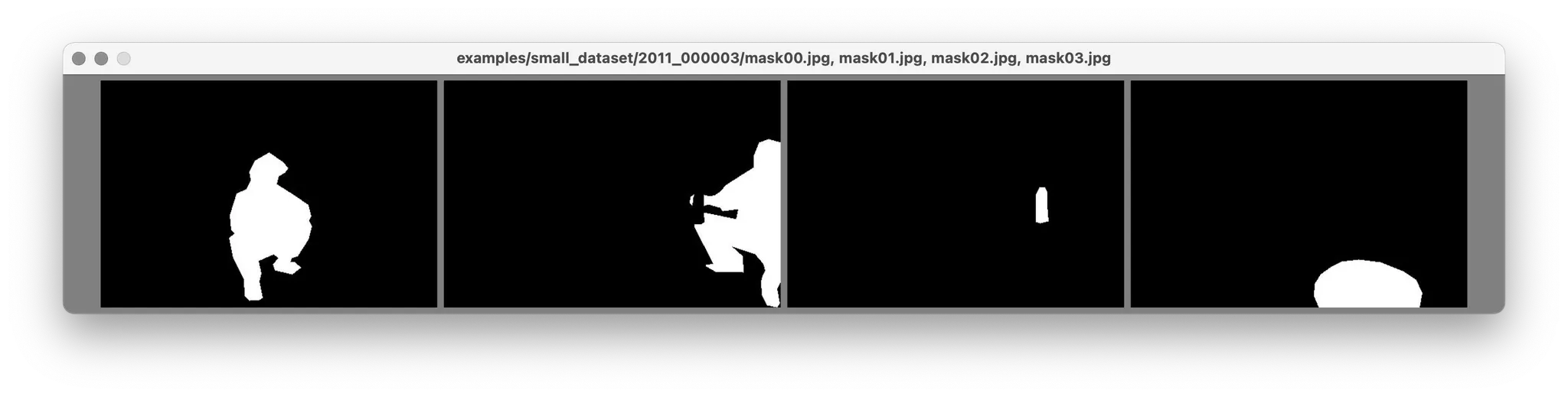
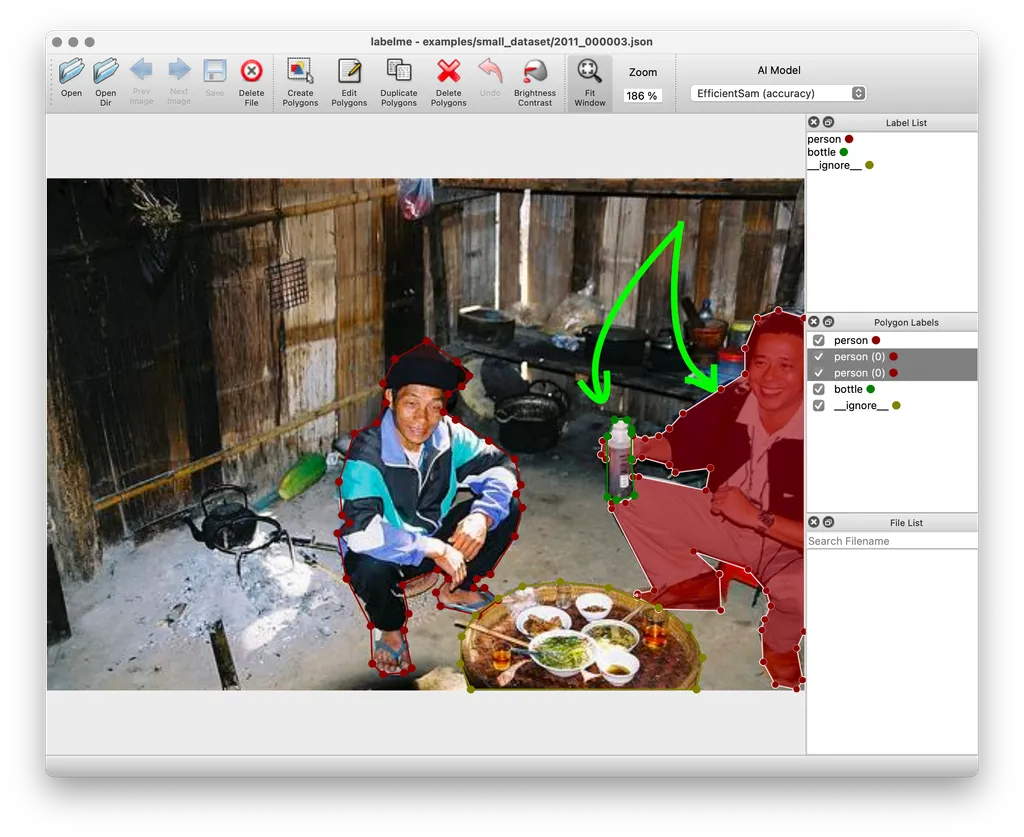
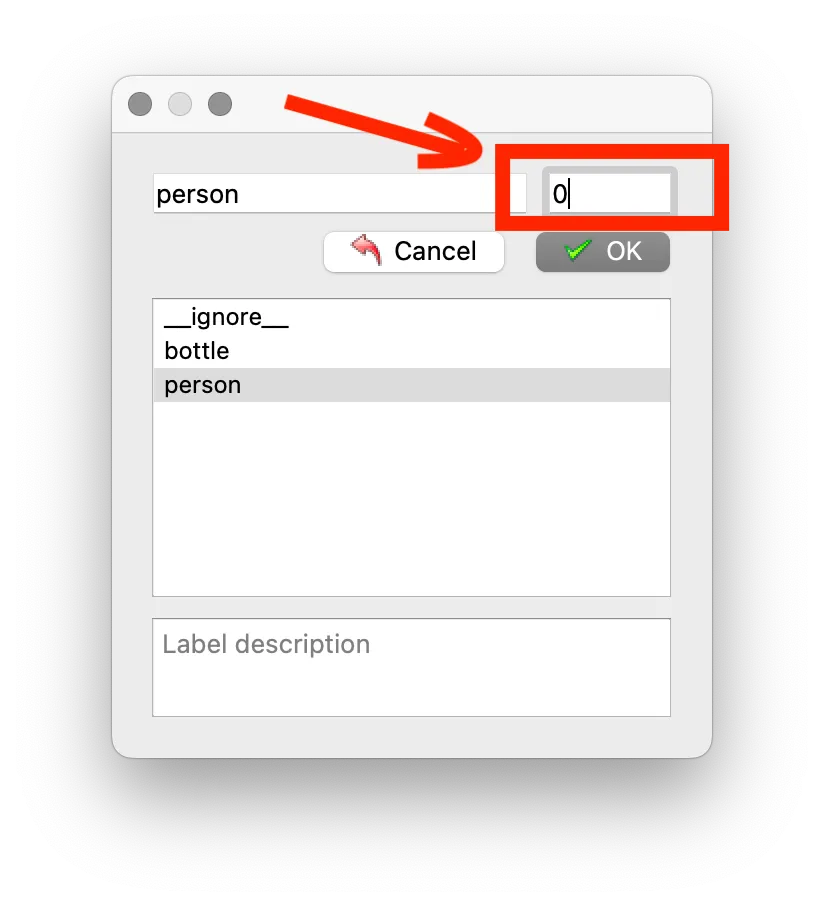
It converts each "group" represented by group_id (in this case 0):
Example: Convert a directory of JSON files
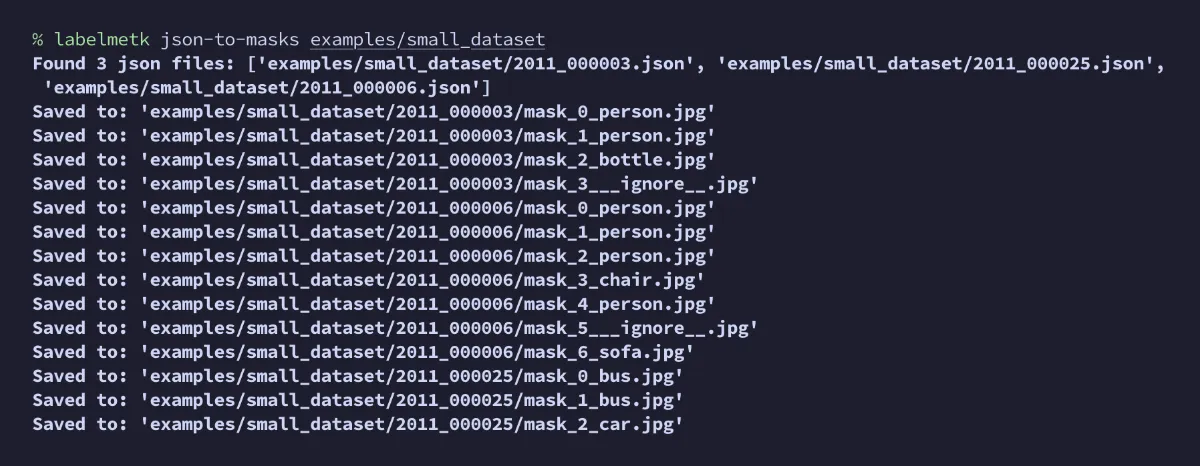
If you have multiple JSON files in a directory, pass the directory to the command:
labelmetk json-to-masks small_dataset
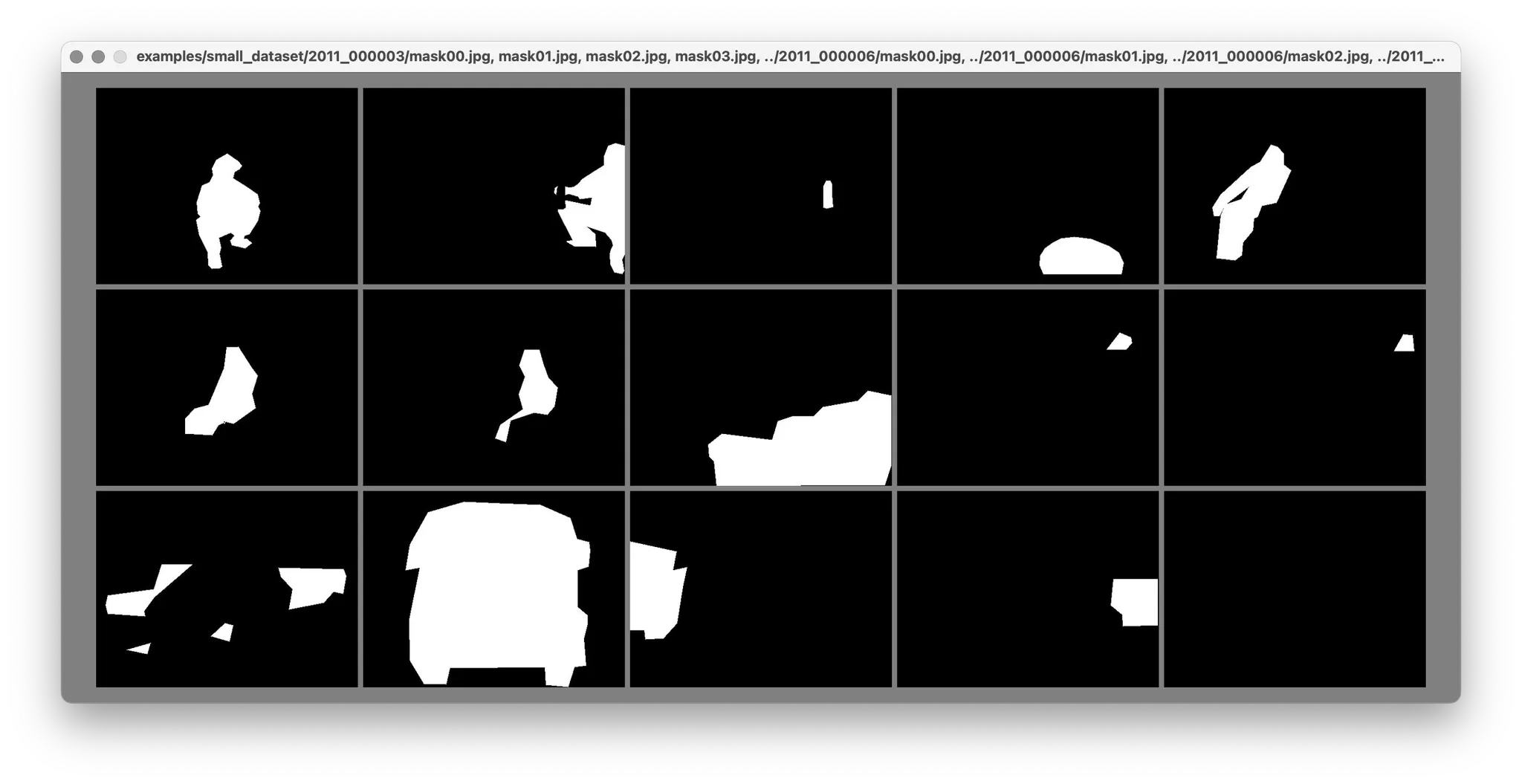
to get a mask images for each:
Example: Exclude some labels
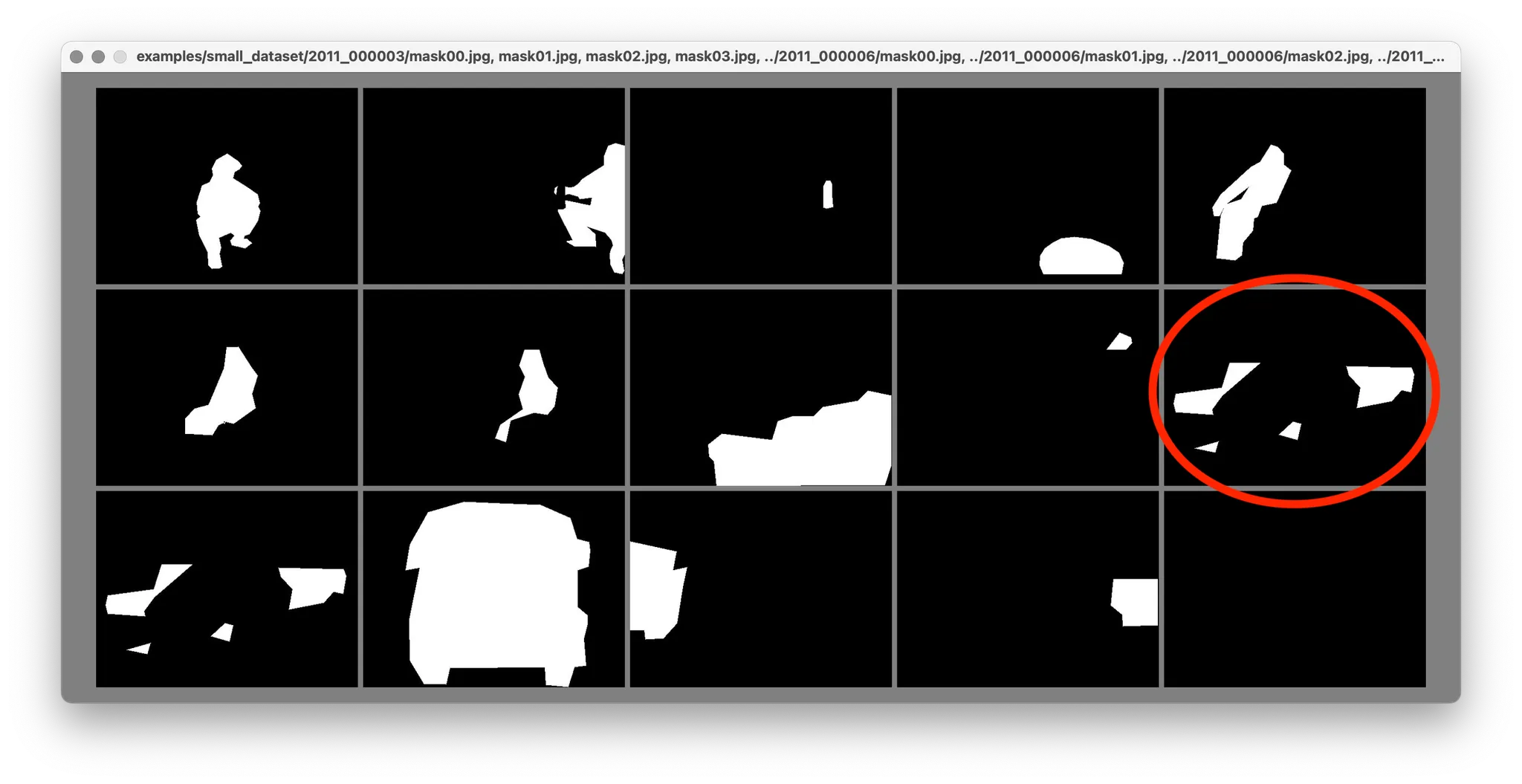
If you'd like to exclude some of the labels when creating a mask, pass --exclude-labels:
labelmetk json-to-masks small_dataset --exclude-labels __ignore__
You can see the difference from the previous example:
Example: Browse the result in a browser
If you instantly browse the result on a browser, pass --browse (or -b):
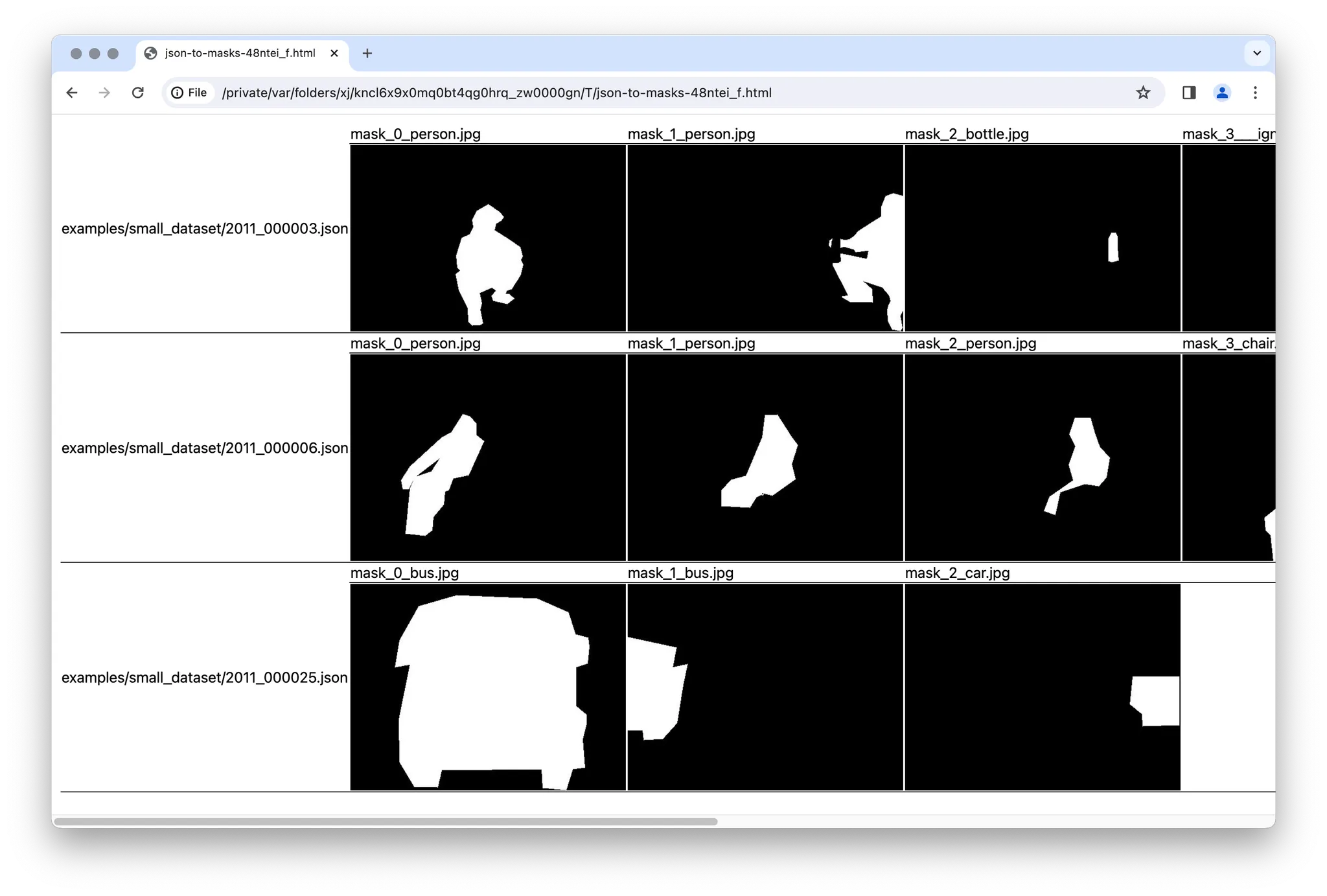
labelmetk json-to-masks small_dataset --browse
It will show the output images as a table:
Download an example dataset from:
small_dataset.zip (389KB)