
A unified AI toolbar, two tools instead of four
The AI toolbar in v6.0 carried four buttons: ai_polygon, ai_mask, ai_polygon_rectangle, ai_mask_rectangle. Two prompt types (point, box) times two output formats (polygon, mask), one button each. If you used the tool every day you knew which was which; if you opened the app once a month you re-read the tooltips.
Labelme v6.1 collapses the four into two.
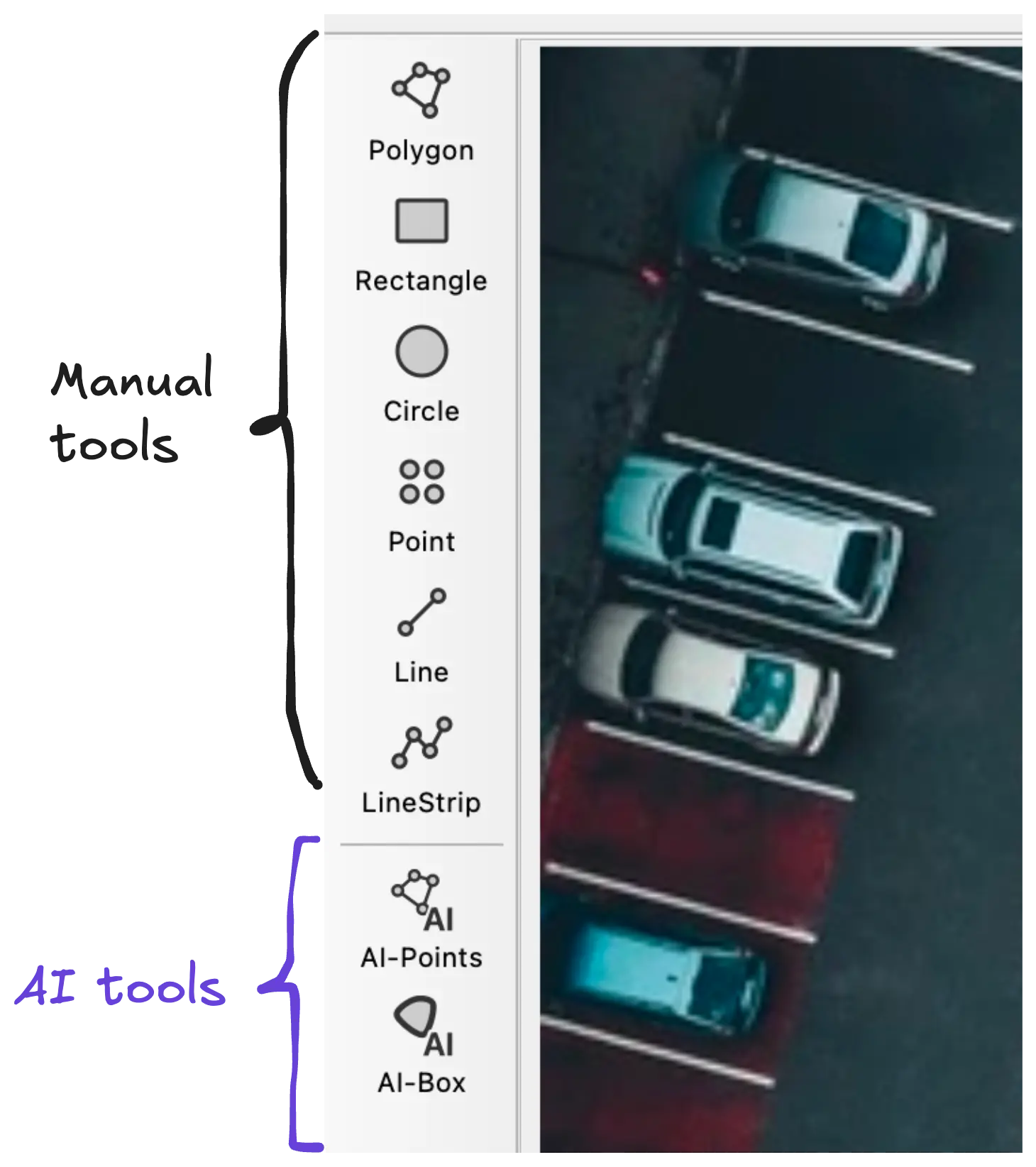
What changed
Two AI tools instead of four. AI-Points takes a point prompt; AI-Box takes a bounding-box prompt. Each one carries its own output dropdown where you pick polygon or mask. The output choice is now a property of the tool you're using, not a separate toolbar button.
Output picker doubles as a feature surface. In v6.2 the same dropdown grows rectangle, oriented_rectangle, and circle (see AI annotation outputs circles and rectangles, not just polygons). The toolbar layout was the prerequisite: you cannot add three output formats to four buttons; you can add them to two.
A separator between manual and AI tools. A thin visual break sits between the hand-drawn shape tools and the AI-assisted ones. The separator is the cheapest, most boring fix to a real complaint: people repeatedly clicked the wrong button because the toolbar was a flat strip of similar icons.
Hover on a disabled AI widget flashes the toolbar buttons. If the AI tools are disabled (no model loaded, missing dependencies), the disabled state in the side panel pings the toolbar so it's obvious where the controls are. Helps when "where is the AI tool?" is the actual blocker.
Why the consolidation matters
Toolbar surface area is finite. Every button you add raises the cost of finding the right one. Going from four AI buttons to two doesn't just look cleaner; it leaves room for the output choice to become a richer affordance instead of a button per combination. v6.2 is the payoff: the polygon-vs-mask toggle becomes a five-shape picker, which would have been unsustainable as 4 × 5 = 20 toolbar buttons.
If your scripts or shortcuts referred to the old action names (ai_polygon, ai_mask, etc.), check the v6.1 migration notes — the renaming is the bit that matters for automation users.
Where to find it
Update to Labelme v6.1 or later from the download page. The new toolbar layout is on for everyone; no setting required.
See the v6.1 release notes on GitHub for the full changelog, including the script-API rename and the tooltip refresh. The toolbar separator was #1914; the four-into-two consolidation went in via #1916; #1961 added the hover-flash that pings the AI buttons from the disabled widget.
If your muscle memory misses the old layout in a way the redesign doesn't account for, open an issue or ask on Discord.