
AI model downloads show progress, and you can cancel
The first time you used an AI tool in v6.0, the app downloaded the SAM weights in the background. The download was a few hundred megabytes, took a minute or two on a fast connection, and the UI sat there with no feedback. People assumed the app had crashed. Some force-quit. A few re-installed.
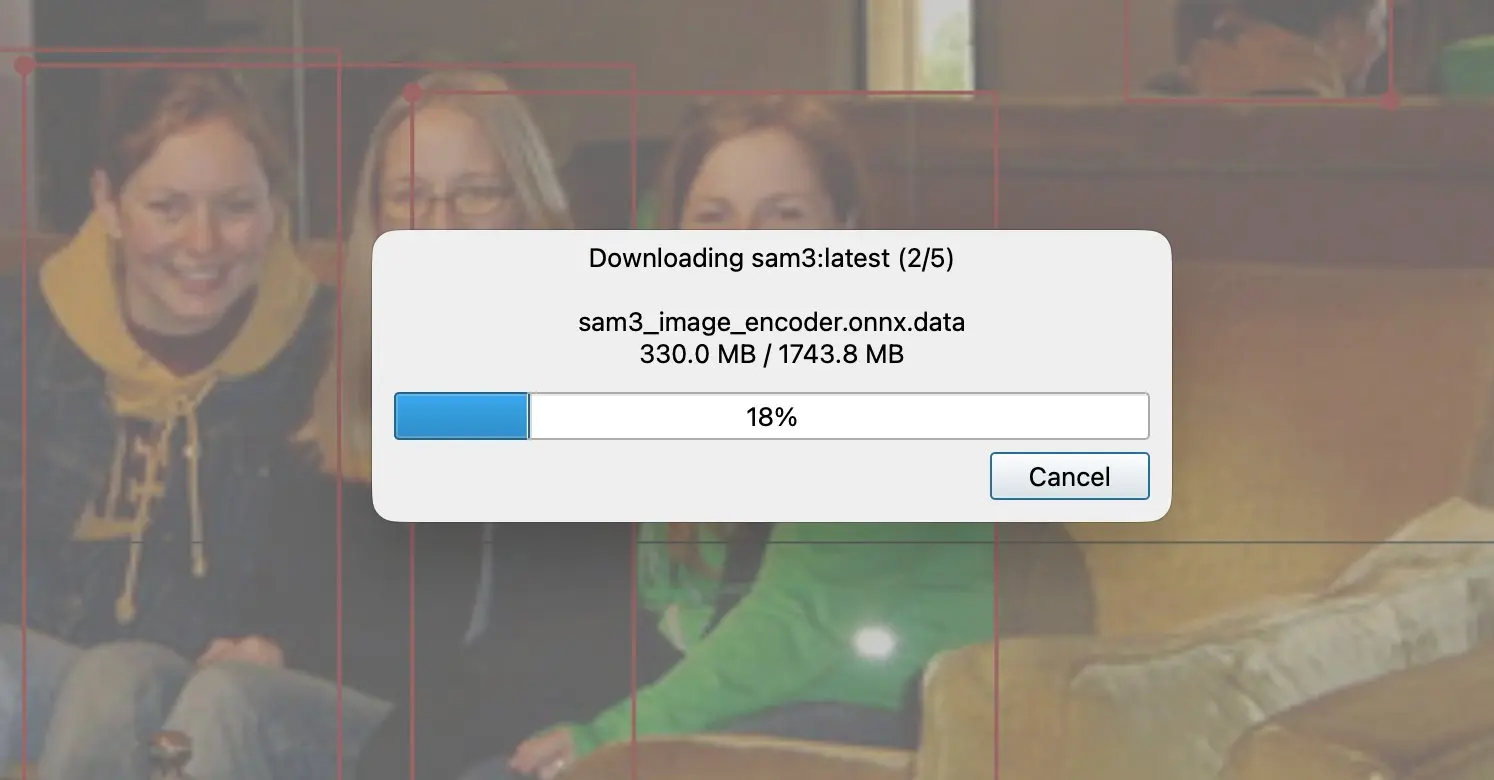
Labelme v6.1 makes the download visible.
What changed
A progress bar with bytes and ETA. The dialog tells you what's being downloaded, how much is left, and roughly how long. No more "is the app frozen or is it working?"
A cancel button that actually cancels. Hit cancel and the partial file is discarded; the AI tool stays in its previous state. No half-downloaded weights that fail to load next time.
Downloads run off the UI thread. The window stays interactive while the model arrives. Pan and zoom keep working; the canvas doesn't lock.
When you'll see it
- First AI click on a fresh install. The model isn't local yet; the dialog appears the moment you click.
- Switching to a model you haven't used before. SAM3 weights are separate from the older SAM variants. The first time you pick a new backend, the corresponding weights download.
- After clearing the model cache. If you've wiped the cache or moved machines, the next AI click triggers a download.
Once a model is local, it loads silently. The dialog only appears when there's something to download.
Why the wait existed at all
The SAM weights ship outside the app binary so installs stay small (a hundred-megabyte download instead of a multi-gigabyte one), and so we can update the available model list without re-releasing the installer. The cost is that the first use of each model needs a network round-trip. The fix isn't to remove the download; it's to make it legible.
Where to find it
Update to Labelme v6.1 or later from the download page. The progress dialog appears automatically the next time a model needs to download. No setting to enable.
See the v6.1 release notes on GitHub for the full changelog. The progress reporting and cancel button landed in #1948.
If a download hangs at 0% or never finishes, open an issue with your network setup or ask on Discord.