
Annotate past the edge of the image
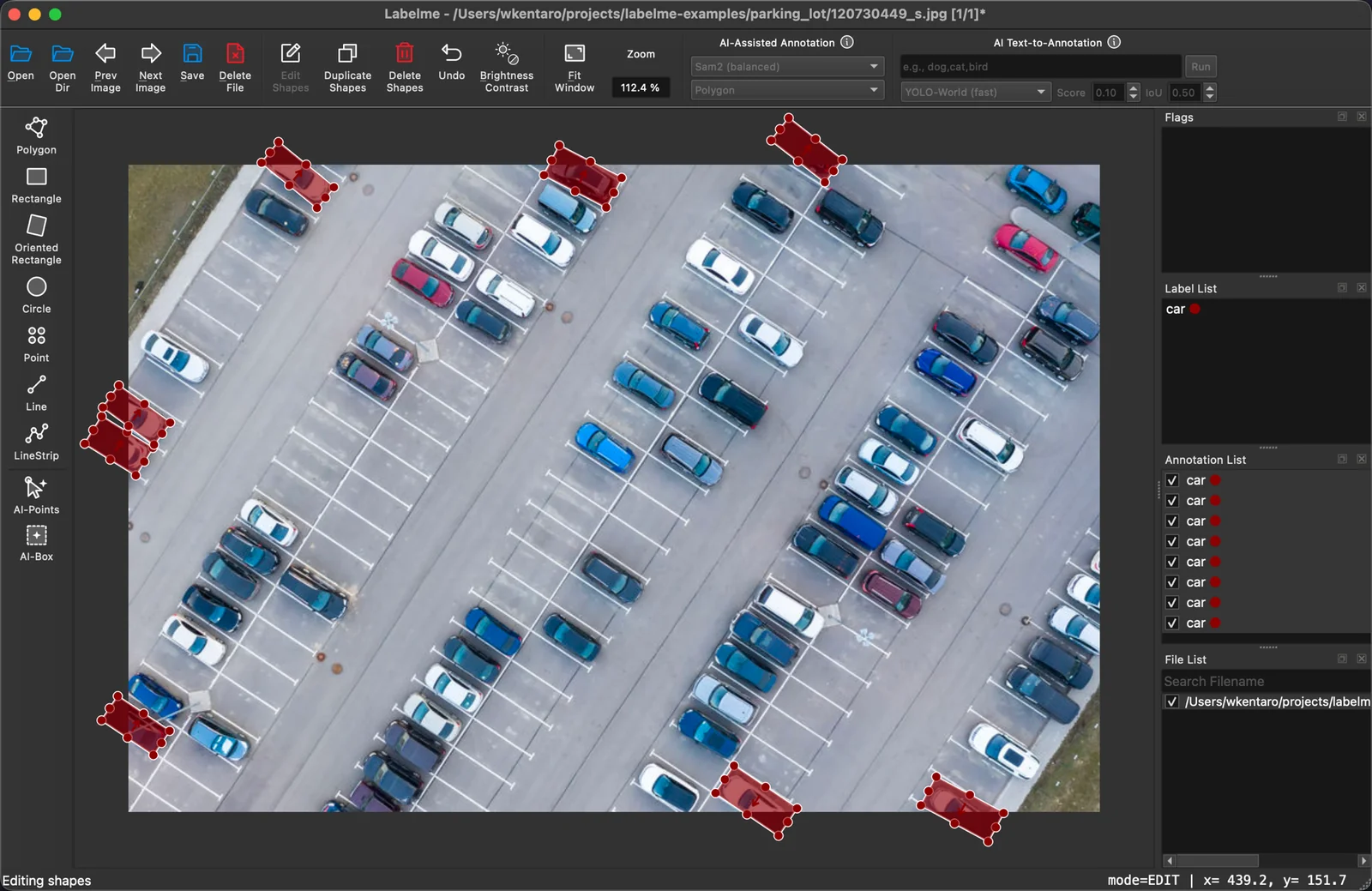
An object rarely stops politely at the image border. A car leaves the frame, a building is cut off at the top, a person stands half out of shot. Until now Labelme clamped every point to the image rectangle, so the moment a boundary crossed the edge you lost the real shape and got a flat line along the border instead.
Labelme v7 adds a BETA preview that lets points sit outside the image. The polygon keeps going where the object goes, past the edge, and the geometry you save is the geometry you meant.
Why it matters
Occluded and cropped objects stay honest. A bounding polygon that follows the object off-frame encodes where the object actually is, not where the picture happens to end. Models trained on clamped labels learn a false edge every time something leaves the frame.
Amodal and out-of-frame tasks become possible. If your task is to reason about the full extent of a partially visible object, you need points the image can't contain. Clamping made that impossible; now it isn't.
No more fighting the border. Dragging a vertex near the edge no longer snaps it back inside. The point stays where you put it.
Where to find it
This is a BETA feature, so it's off by default and carries a BETA badge in the new Settings dialog. Turn it on there once you're on Labelme v7 (get it from the download page).
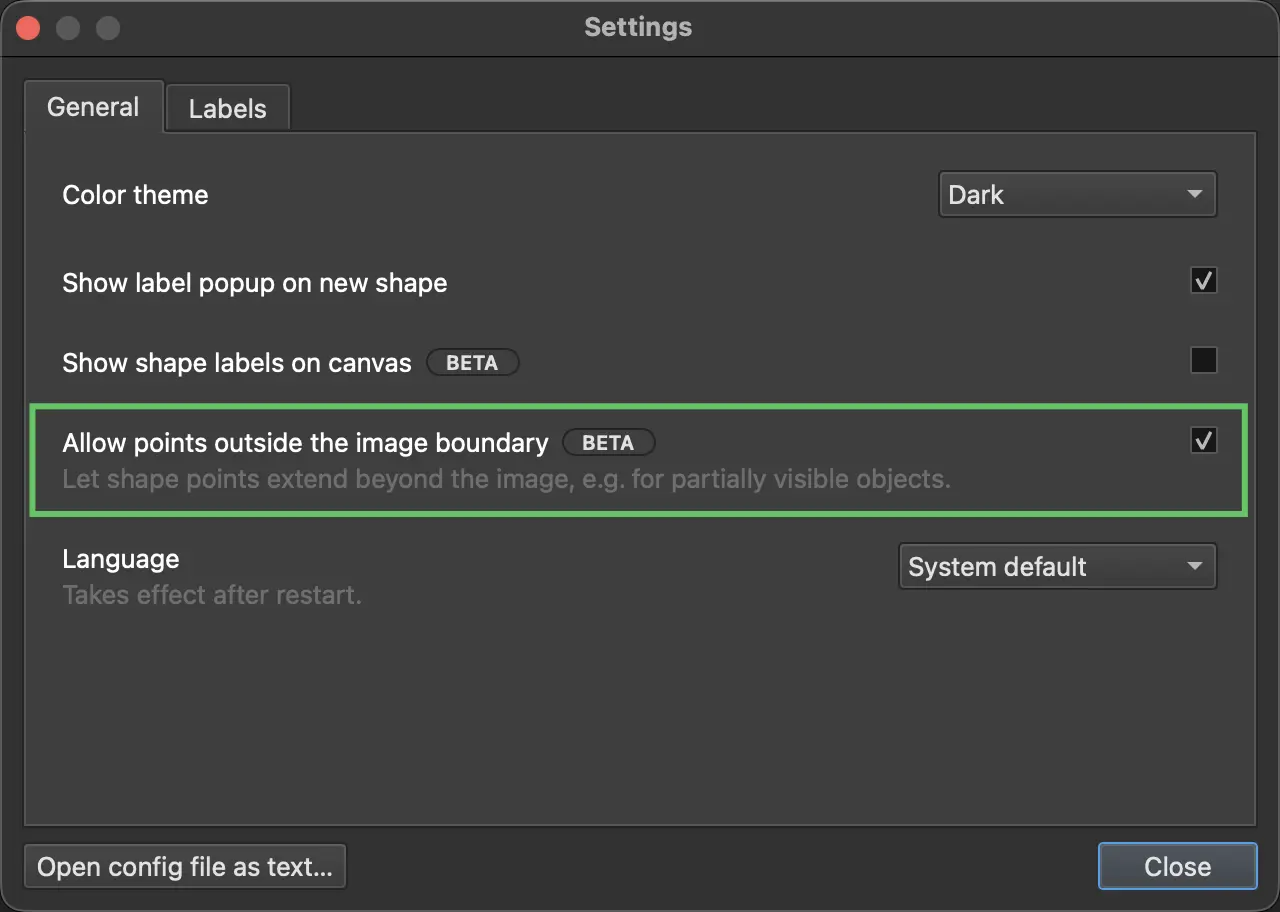
Being BETA means it's ready to try but still settling; if you hit a rough edge, that feedback is exactly what the beta period is for. See the v7.0.0 release notes on GitHub for the full changelog; the feature landed in #2223, with the design rationale in the out-of-bounds-points ADR. Open a GitHub issue or tell us on Discord how it works for your data.