
Download and manage AI models in Settings
You are ready to annotate, choose an AI model, and discover that its files are not on this computer yet. That first download used to interrupt the job at the moment you wanted to use the model.
In Labelme v7.6.0, Settings → AI Models lets you prepare models before an annotation session. Downloads continue after you close Settings, so you can keep drawing Shapes while the files arrive.
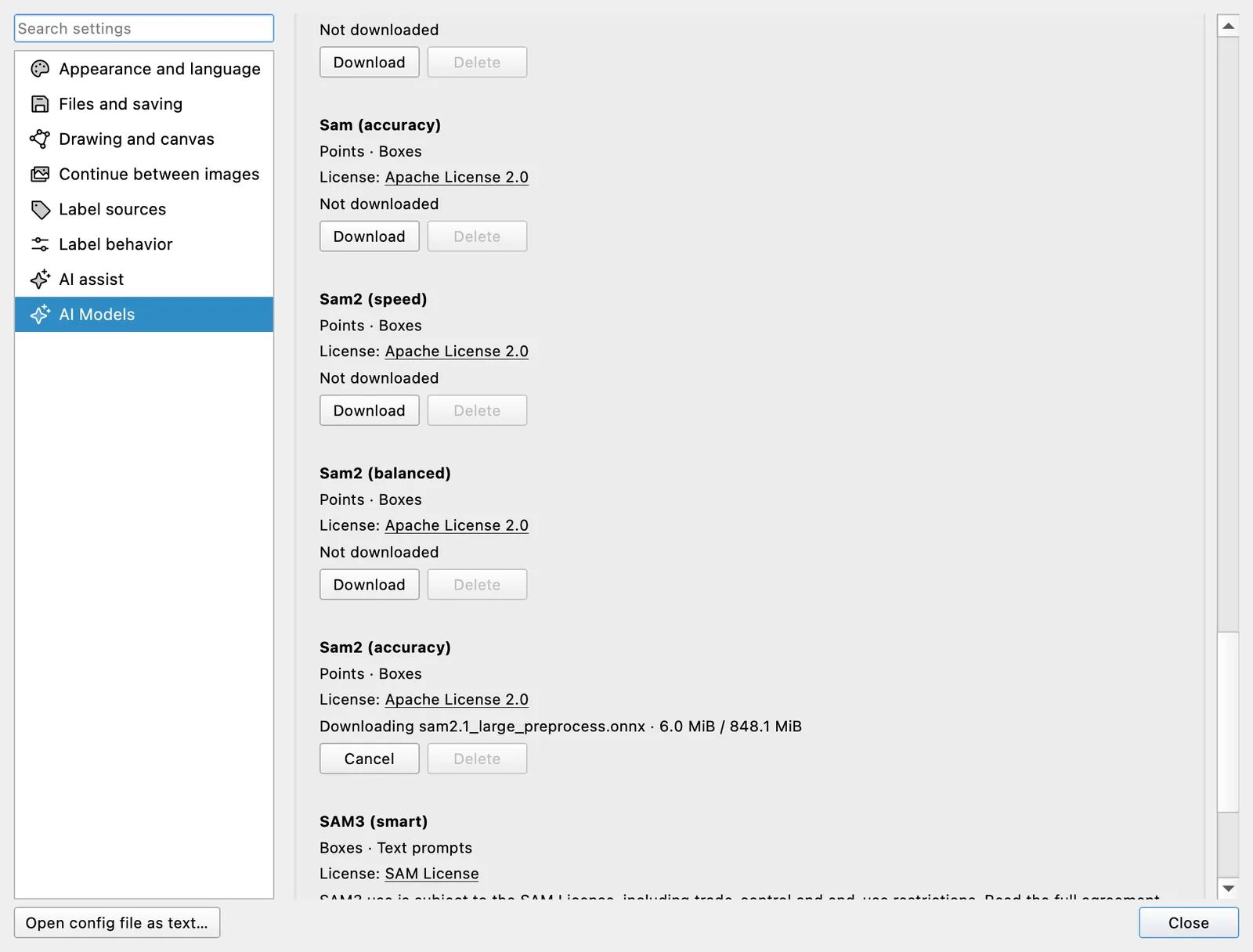
Each model lists the prompts it supports and links to its license. Choose Download for what you plan to use; Labelme handles one model at a time and queues the rest. A completed model becomes available in the annotation panel without being selected or starting inference. The model-management implementation keeps that choice separate from preparation.
Stop or clear a model without touching annotations
Choose Cancel to stop the active download or remove a queued one. A failed transfer stays visible with Retry, so it does not block the next model in line. Downloads stop promptly even when a connection stalls, a behavior completed before v7.6.0 in the cancellation fix.
Choose Delete to remove a downloaded model from this computer. Labelme asks first, clears any selection that depended on the model, and leaves your Shapes and annotation files unchanged. Download it again whenever you need it.
This starts before first use
v6.1 made first-use model downloads visible and cancellable. v7.6.0 moves that control into Settings: you decide what to prepare before reaching for an AI tool, and the annotation canvas remains available while preparation runs.