FEATUREv7.2.01 min read
Shape colors now match your workflow
A crowded image is harder to read when its colors do not match the way you organize labels. Until now, changing Shape Color behavior meant editing the Config File by hand.
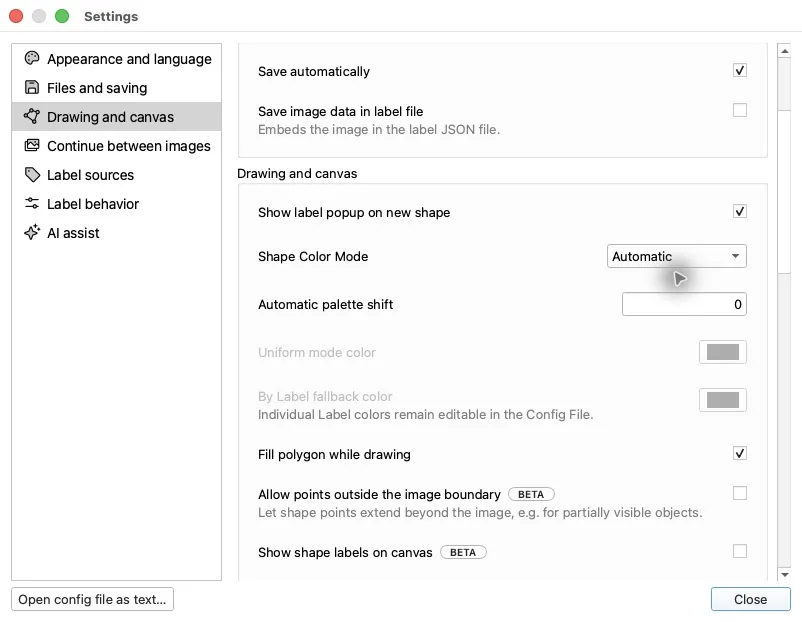
Shape Color controls now live under Settings → Drawing and canvas. Choose a mode and the canvas, Annotation List, and Label List update immediately, so you can judge the result without closing the dialog. The controls ship in v7.2.0; the implementation and its checks also cover live color preview, Cancel rollback, and persistence after you accept a choice.
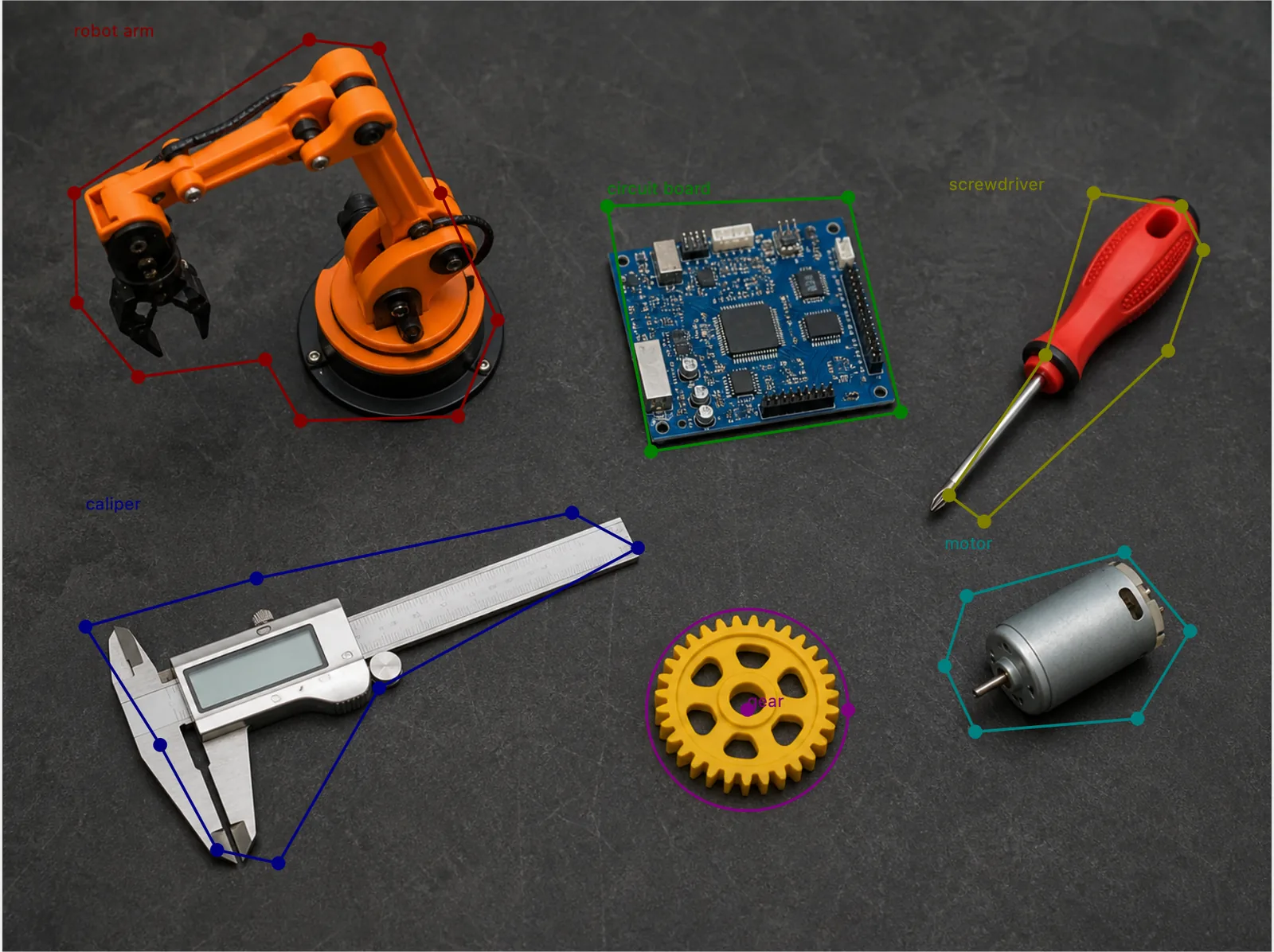
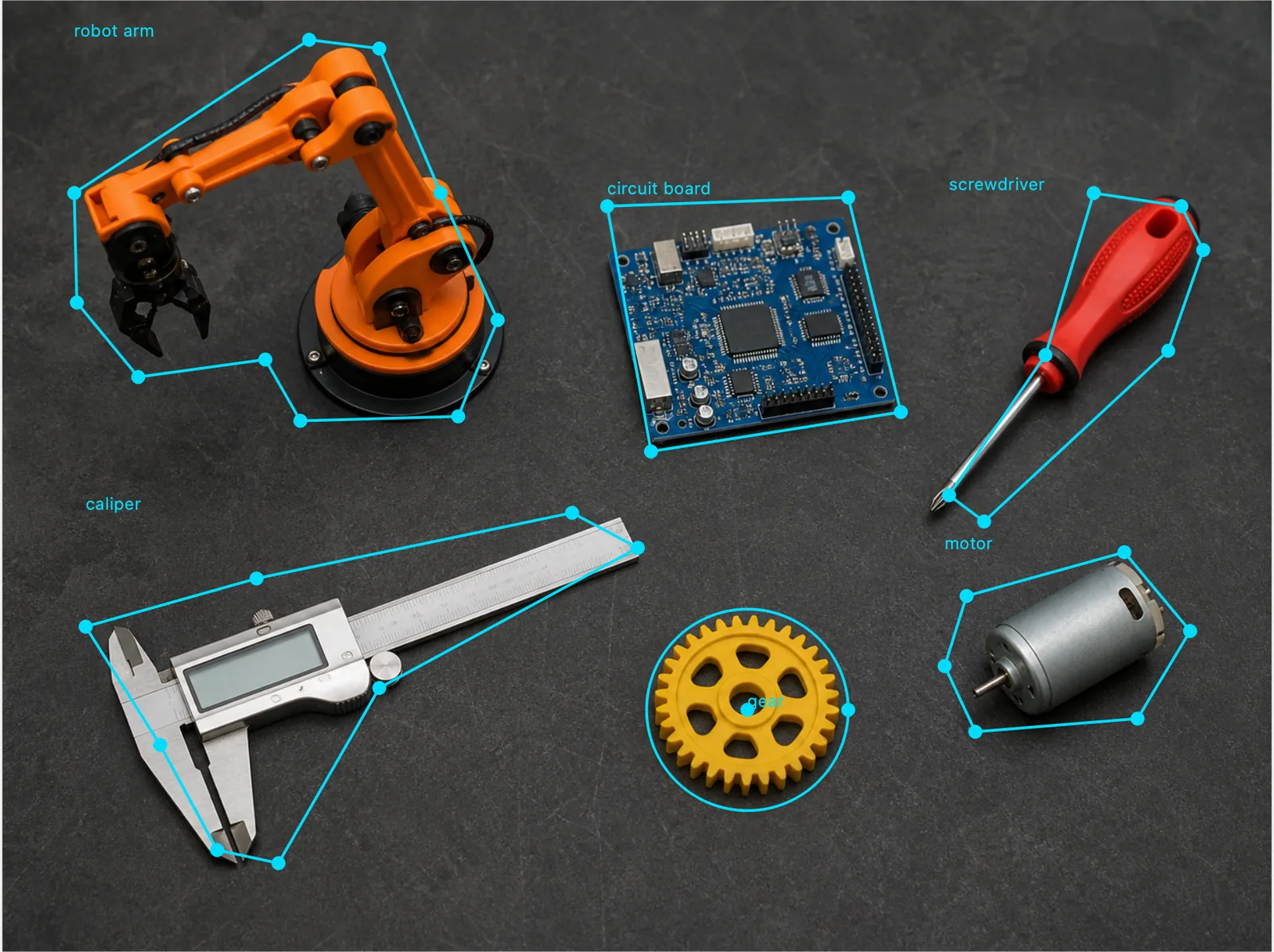
The annotations do not move. Automatic gives each Label its own color; Uniform gives all six Shapes one cyan outline.
Choose the signal you need
- Automatic assigns colors and lets you shift the palette.
- Uniform gives every Shape one color when color does not need to distinguish Labels.
- By Label uses configured colors for Labels with an explicit entry and one fallback for all others. Individual Label colors remain editable in the Config File.