
Jump straight to the Setting you need
You know the behavior you want to change—auto-save, Polygon Detail, or a Shape color—but not which Settings section contains it. Scanning every section interrupts the annotation job.
In Labelme v7.6.0, type a familiar term into the search field and choose a result to jump straight to its Setting Control. Labelme scrolls the control into view and highlights the destination.
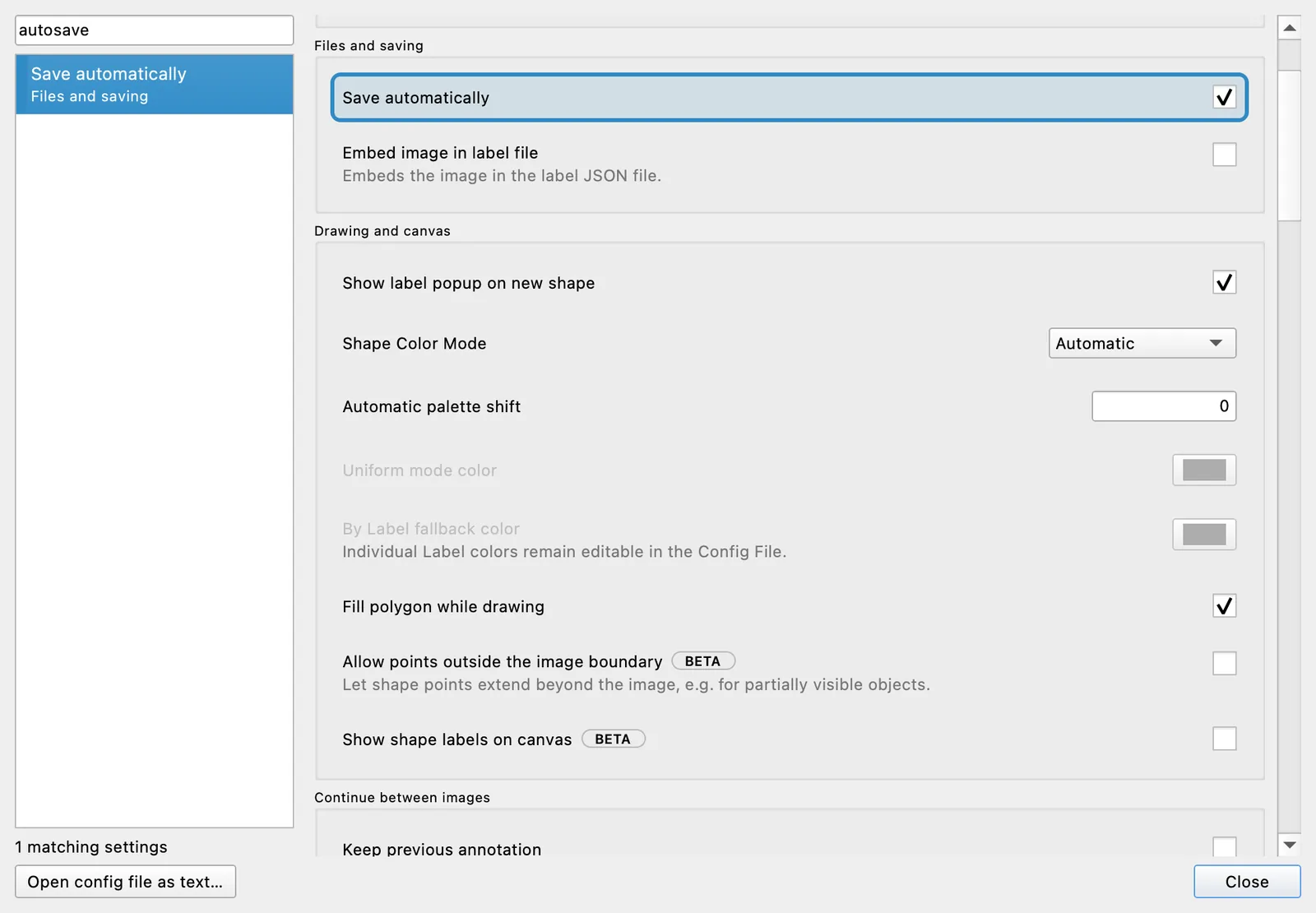
Search with the words you already know
Search checks Setting names, Config File keys, section names, choices, and related terms. It matches both English and the current interface language, so autosave finds Save automatically and poly det finds Polygon Detail even when those exact words are not the visible label.
Results narrow as you type. Choose one with the mouse, or use the arrow keys and Enter without leaving the search field. The result keeps focus so another arrow press cannot accidentally change the Setting; press Tab when you are ready to enter the highlighted control.
The Settings search implementation and keyboard checks cover mouse selection, arrow-key browsing, Tab into the destination, empty results, disabled controls, and translated metadata.