What's new in LabelMe v6
LabelMe v6 is out. (Download or upgrade from here).
This release adds large image support (satellite/GeoTIFF) and changes the defaults for auto-save and image data embedding.
Large image and TIFF support
v6 can open very large images — including multispectral and float32 GeoTIFFs used in satellite and aerial imagery. The image below is a 26,456 x 22,892 pixel, 136 MB TIFF. v5 choked on files like this or refused to open them entirely.
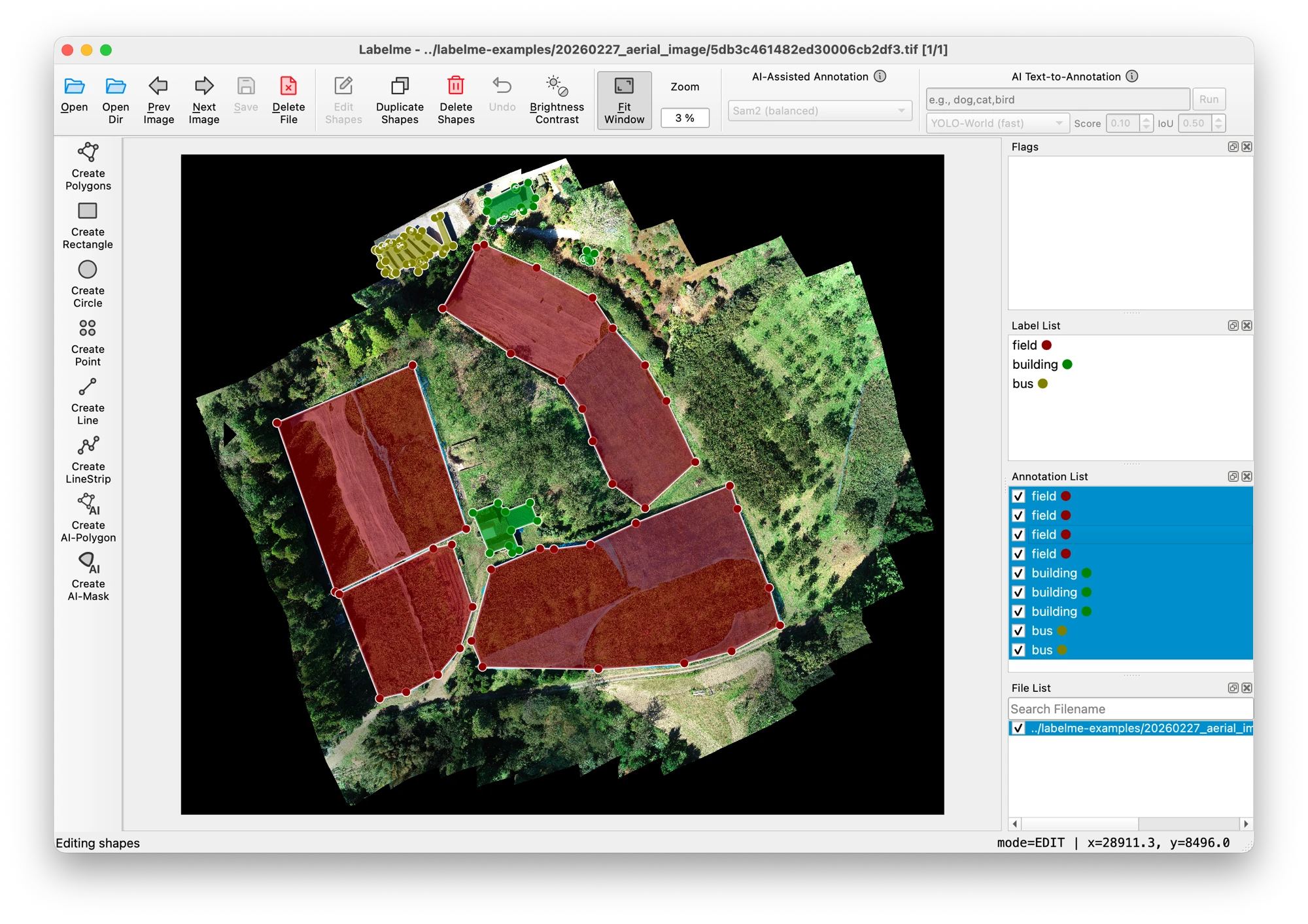
Aerial image from OpenAerialMap.
Auto-save is on by default
Forgetting to save was one of the most common ways people lost work. v6 saves as you go.
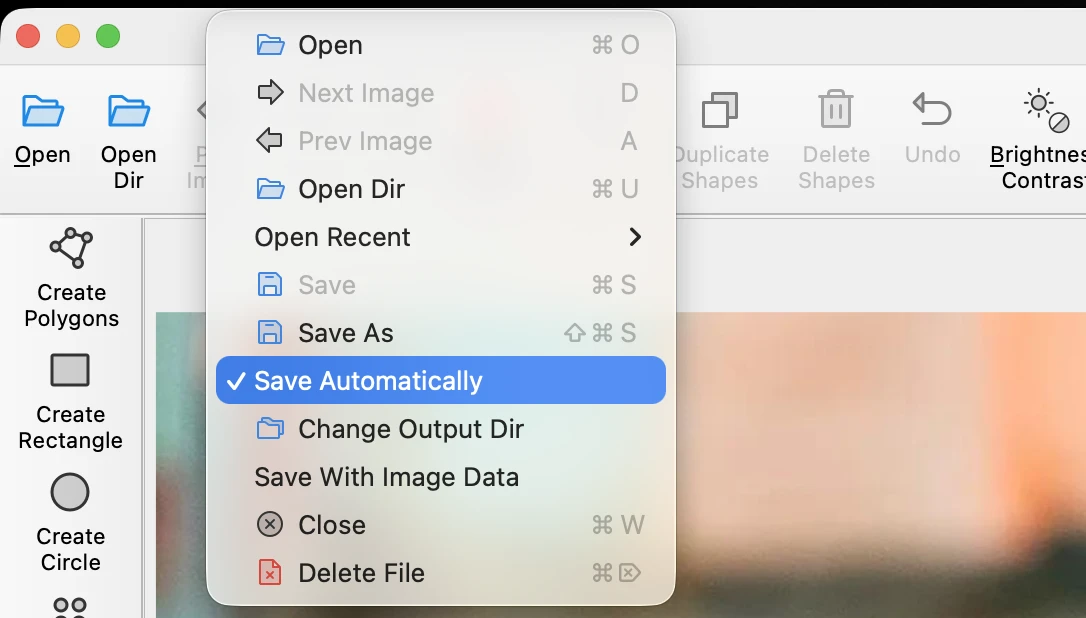
To turn it off:
- Uncheck File > Save Automatically in the menu
- Or set
auto_save: falsein your config file
JSON files are smaller by default
v5 embedded image data inside every JSON file, making them large and diffs unreadable. v6 stores a file path reference instead.
If you need the old behavior (e.g. for sharing annotations without the images alongside):
- Enable File > Save With Image Data in the menu
- Or set
with_image_data: truein your config file
Existing v5 files still open fine.
Other improvements
- You can now reset your window layout from the menu if things get messy
- Vertices are prioritized over shape bodies when hovering, so grabbing corners is easier
- Point shapes can now be selected by clicking on them directly
Fixes
- Crash on arrow keys when no shape is selected
- Crash when previously selected shapes are missing
- Crash on macOS with Japanese and other Unicode filenames
- Crash on unknown keys in config file (now warns and continues)
- Crash on malformed JSON in file dialog preview
- Crosshair guide lines extending beyond image bounds
- Window not restoring position when the saved screen is no longer available
Get v6
Available for Windows, macOS, and Linux from the downloads page. See the installation docs if you need help.
If something breaks, open a GitHub issue or ask on Discord.
LabelMe はオフラインで動く AI 搭載アノテーションツールです。