
AI polygons keep the right amount of detail
An AI polygon follows the object, but sometimes it gives you more boundary points than you want—or smooths over a narrow feature you need. Either result leaves extra cleanup before the annotation fits your dataset.
Labelme v7.2.0 adds Polygon Detail. Move the slider and the live preview redraws from the same mask, so you can choose a cleaner outline or preserve finer edges before accepting the Shape. The shipped feature and its checks cover AI Assist and mask-to-polygon conversion.
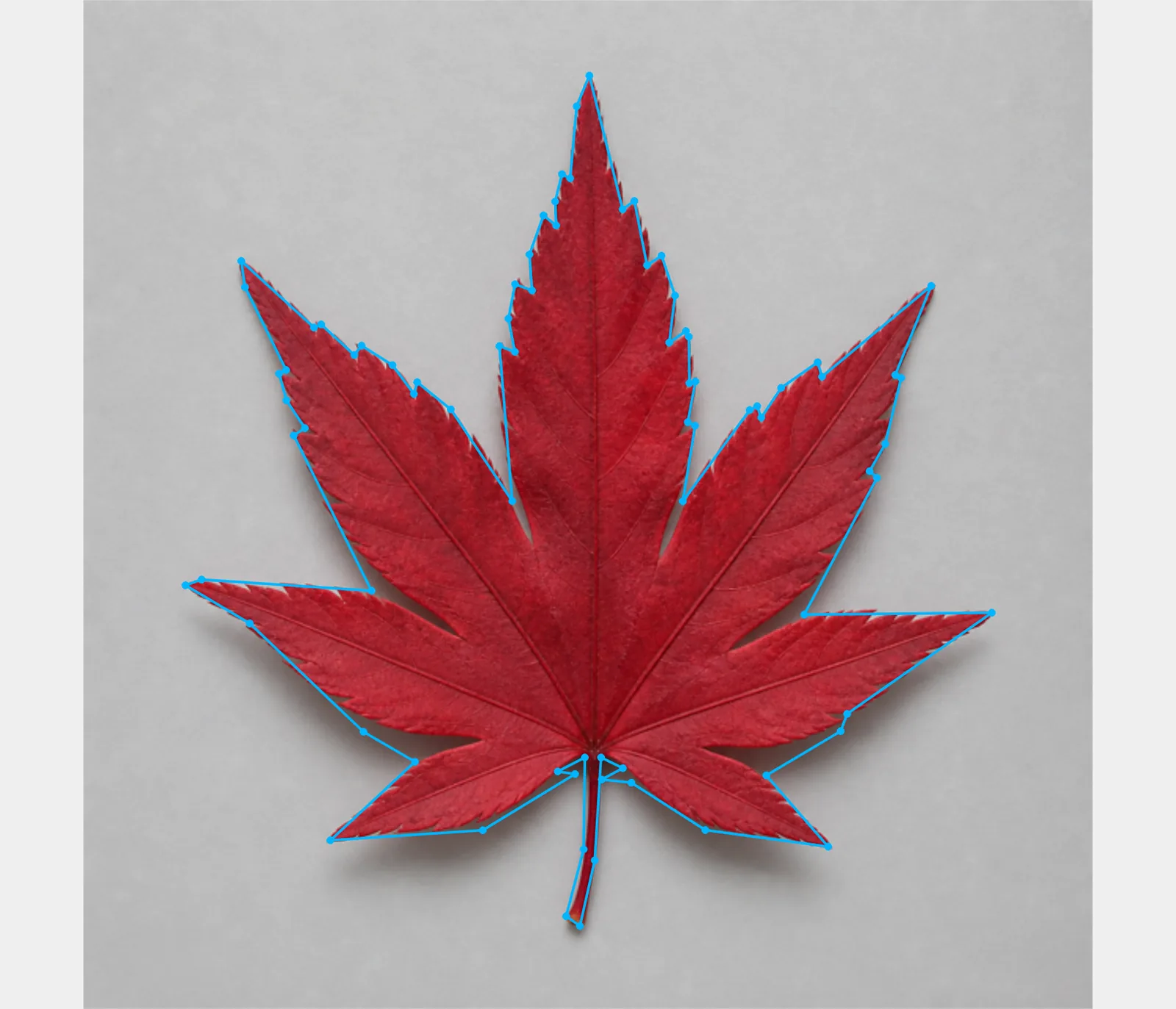
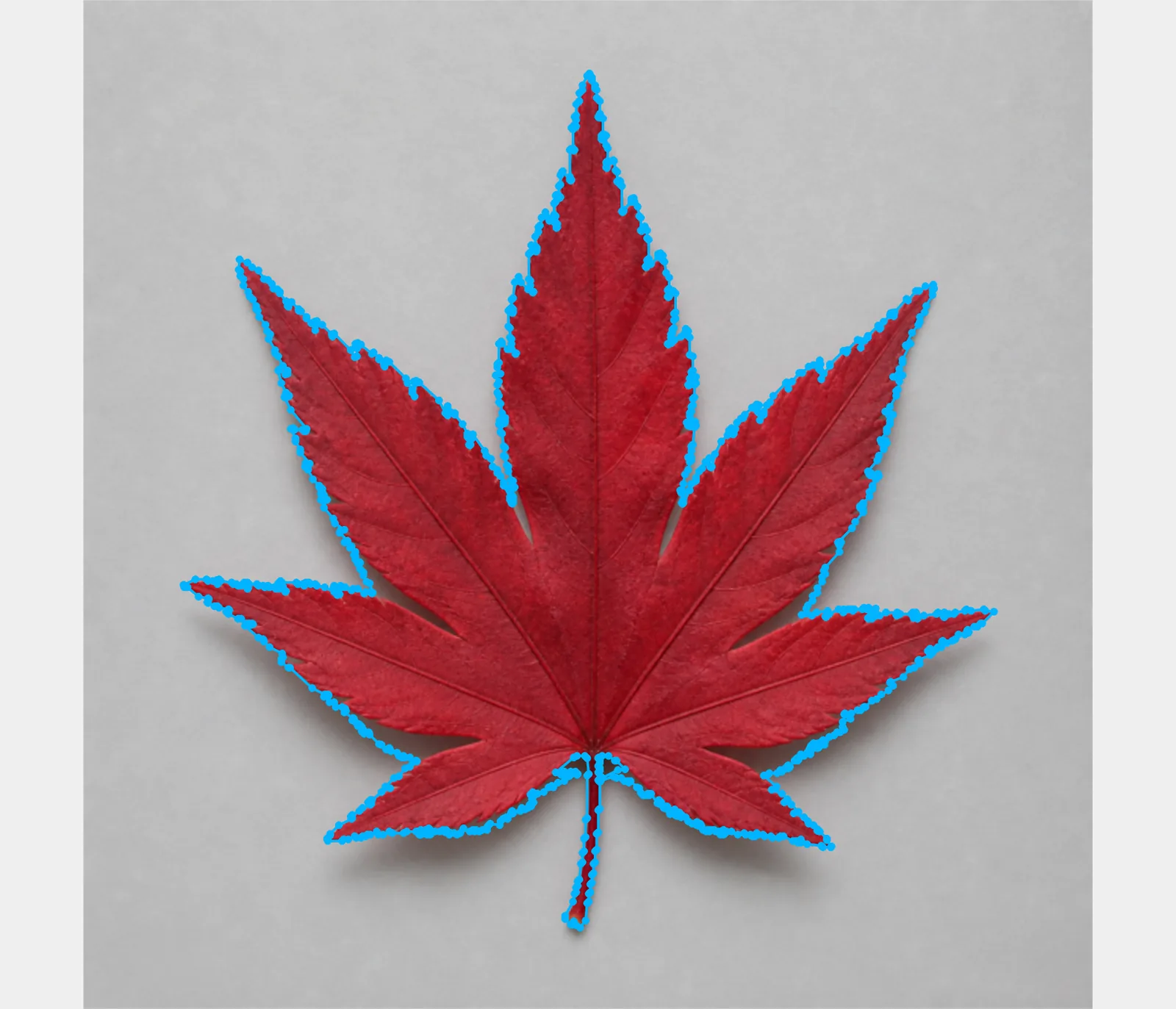
Both offscreen renders use the same synthetic leaf and segmentation mask. Only Polygon Detail changes.
Choose what the boundary needs
Move left when broad object geometry matters more than every small edge variation. The resulting polygon has fewer points to inspect and adjust.
Move right when narrow tips, serrations, or other fine structure belongs in the annotation. The default is 80, which favors detail; the full 0–100 range is defined in the v7.2.0 configuration.
Open Polygon Detail from the slider icon beside Polygon output in AI Assist. The same persisted control is under Settings → AI assist. It appears in the AI panel only when the output Shape is Polygon, keeping the other output modes uncluttered.
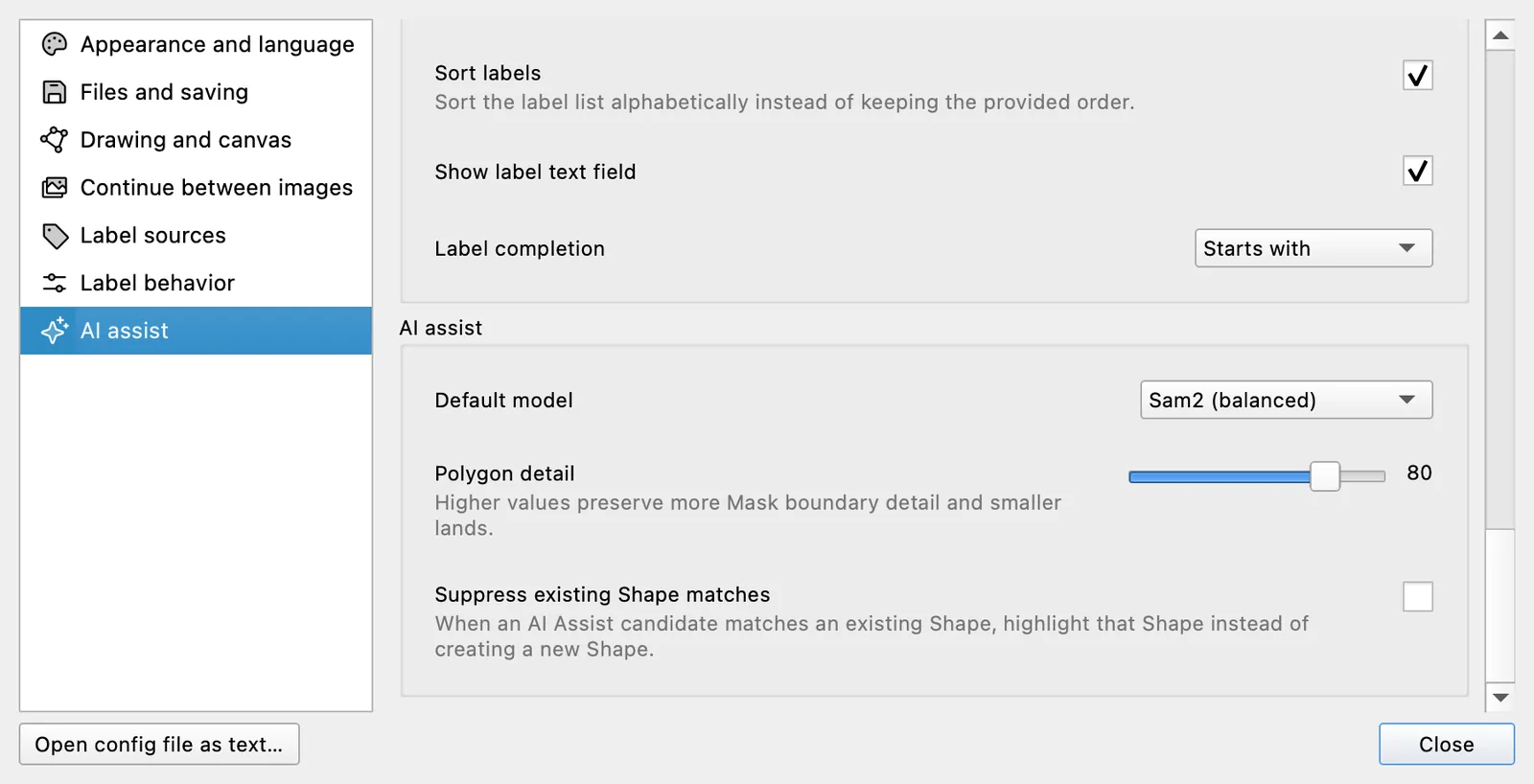
The feature ships in Labelme v7.2.0.