
A failed file load keeps your current work open
You step to the next file and find that its image is unreadable or its annotation is damaged. Before v7.1.0, that failed load could clear the canvas and leave the File List pointing away from your last good session.
Now your current image, shapes, canvas, and File List selection stay active until the next file is ready. You can save what you were doing, skip or repair the bad file, and continue without rebuilding your place. The v7.1.0 fix covers missing and unreadable images as well as malformed annotation files.
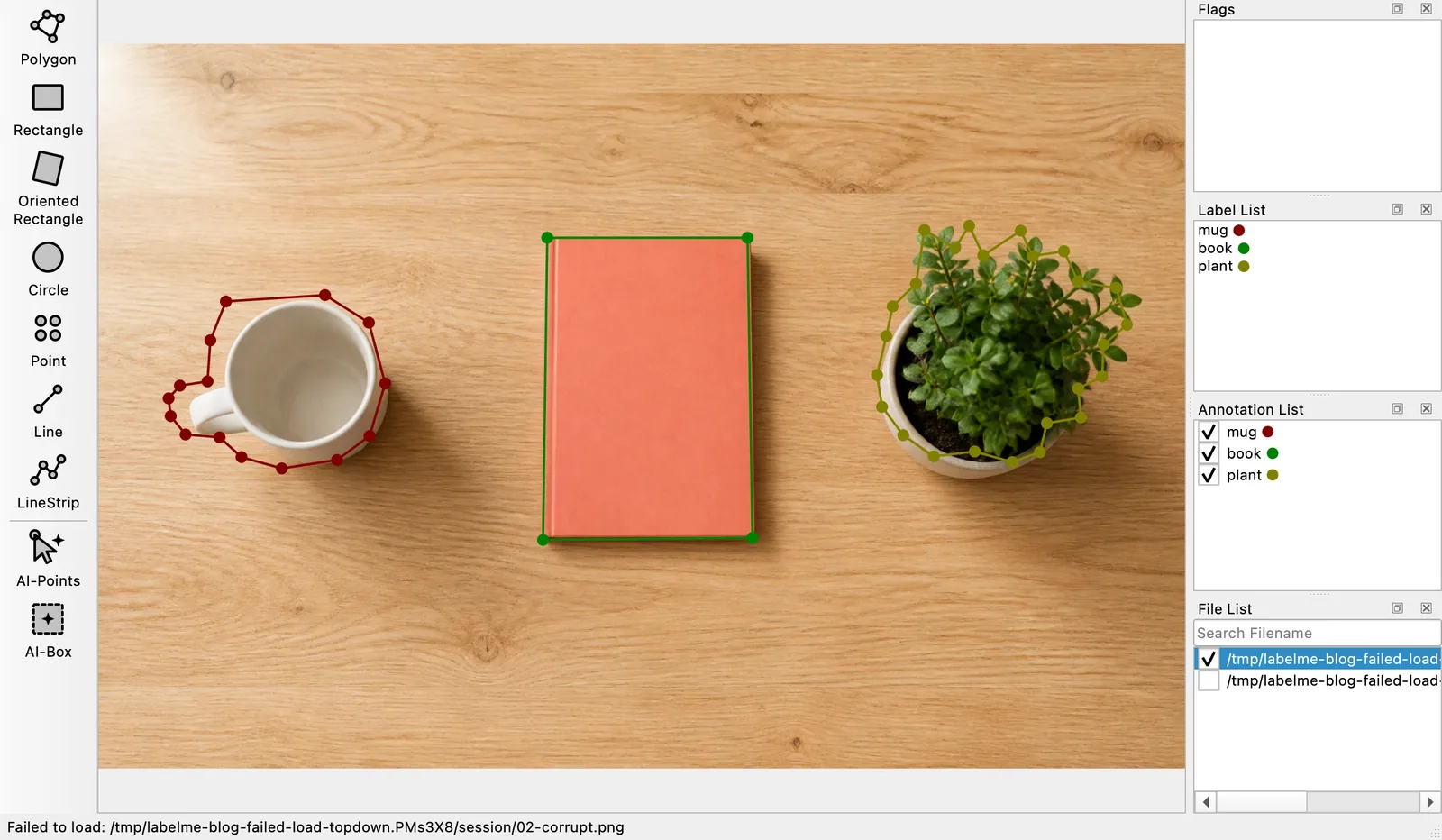
Your last good session wins
Labelme reads, decodes, and validates the replacement before changing anything you can see. If one of those steps fails, the complete session already on screen wins.
This is the same rule that now protects your last successful save: an incomplete replacement never displaces the last complete one.
If the first image in a folder fails, the new File List still opens while your previous session stays on the canvas. Select another image in the list to continue.
A damaged annotation stays visible as a problem
When an image has a damaged adjacent JSON file, Labelme reports the annotation error instead of opening the image as though it had no shapes. That guard matters because an empty annotation could overwrite data that is still recoverable. The last-good-state decision records this behavior.
Back up the damaged JSON before repairing or moving it aside, then open the image again. The original issue lists the failure cases covered by the change, and the fix ships in Labelme v7.1.0.